Table of Content
- Who Will Actually Benefit From Wayin Video
- Wayin Video in One Look.
- What I Liked and What Annoyed Me
- How Wayin Video Changes the Way You Handle a Long Video
- Feature Set
- My Hands-On Experience With Wayin Video
- What all three tests had in common
- My Rating for Wayin Video
- Pricing and Plans
- Should You Use Wayin Video?
My quick verdict: Wayin Video is one of the few AI tools that actually makes long videos easier to use rather than just easier to watch. It turns lectures, podcasts, and tutorials into summaries, transcripts, and searchable insights, and does it quickly enough to slot into everyday study or research. I would give it 9.0 out of 10 as a productivity tool if your work depends heavily on video.
Who Will Actually Benefit From Wayin Video
Before diving into features, it is easier to decide if Wayin Video is even the right kind of tool for you.
It makes sense if you:
- Regularly learn from YouTube tutorials, lecture recordings, or webinars
- Need to quote or reference videos in notes, papers, or content
- Often care about two or three key sections in a long video rather than the whole thing
It is less critical if you mostly read text based articles or do not mind watching videos at normal speed to the end. Wayin Video does not fix low quality content. It simply helps you mine useful ideas faster when the content is good but long.
Wayin Video in One Look.
| Aspect | Wayin Video |
| What it is | AI video summariser and analysis tool |
| Main purpose | Turn long videos into summaries, transcripts, and insights |
| Works with | YouTube links, uploaded files, lectures, podcasts |
| How you use it | Web app and browser extension |
| Typical users | Students, researchers, creators, working professionals |
Think of it less as a video player and more as a way to turn video into something that behaves like a document.
What I Liked and What Annoyed Me
Where Wayin Video works very well
- It reduces a 40 minute tutorial or lecture into a summary plus a clickable outline in under a minute in most tests.
- Search inside a video feels natural. Typing a concept usually brings up the right segments quickly.
- Transcripts are clean enough to copy quotes, ideas, or steps straight into notes.
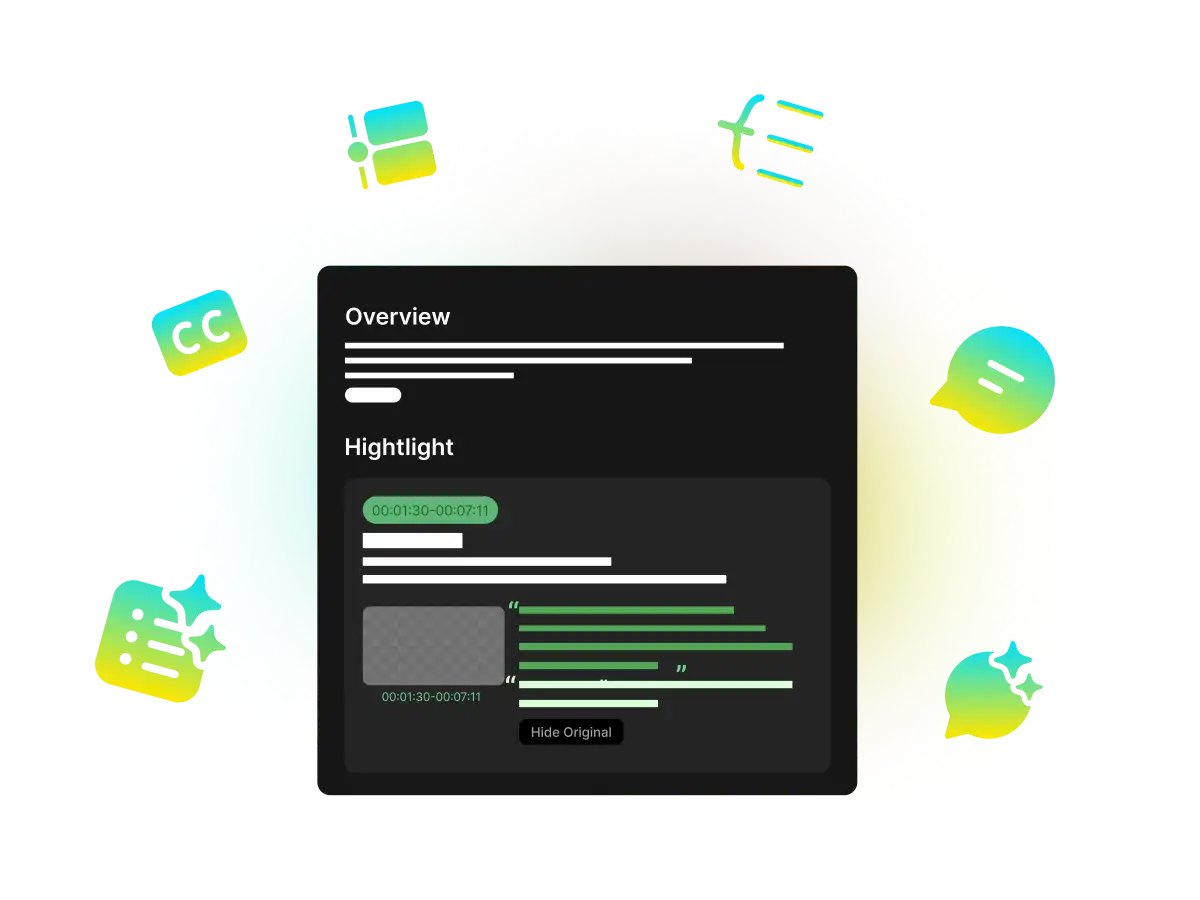
- Having summaries, transcript, and highlights in one place makes videos feel more like reference material than a one time event.
Where it falls short
- Very technical or dense videos still sometimes need manual watching to catch subtle arguments.
- Free credits run out quickly if you process many long videos, which pushes heavy users toward a subscription.
- Search results can occasionally surface sections that are related but not exactly what you wanted, so you still need to use your judgment.
- For my own use, the time saved outweighed these issues, but they are worth knowing about before you commit.
How Wayin Video Changes the Way You Handle a Long Video
Step 1: You drop in a long video
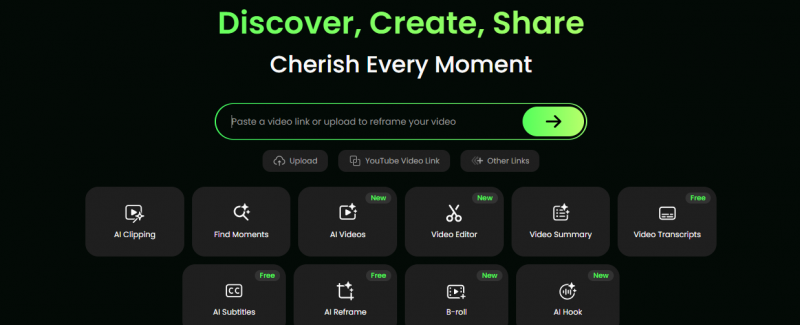
You start by pasting a YouTube link or uploading a file. This could be:
- A 45 minute lecture
- A podcast style interview
- A detailed product tutorial
- A recording of a webinar or talk
Wayin Video processes the audio, visuals, and on screen text together, not just the spoken words.
Step 2: You get a summary and a structured outline
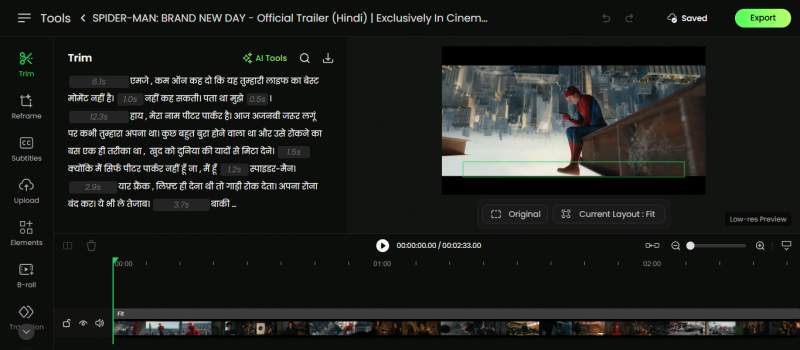
After the analysis is done, you see:
- A short written summary that explains what the video covers
- A timeline style outline that breaks the video into sections with timestamps
In my test with a long tutorial, this structure made it obvious which parts I needed to watch and which sections I could safely skip. It felt more like opening a long article and seeing clear headings and subheadings.
Step 3: You search and jump instead of scrubbing
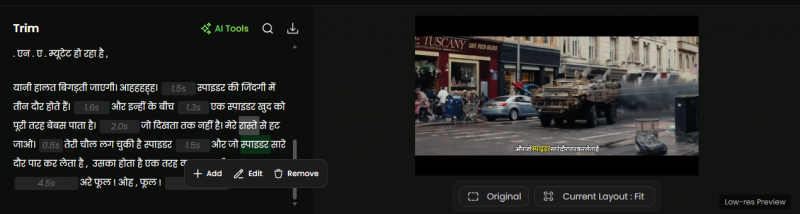
The built in video search lets you type a term or a question to find specific moments. In a lecture, searching for a concept instantly surfaces all the places where it is discussed. Clicking on a search result jumps you straight to that segment.
This changed how I interacted with educational videos. Instead of dragging through the timeline and guessing where a topic appears, I treated the video more like an indexable chapter.
Step 4: You use transcripts as permanent notes

Wayin Video generates a full transcript with punctuation and often speaker labels. You can export the transcript and drop it into your note taking app or research workflow.
In interviews and podcasts, this was particularly useful. Copying accurate quotes without pausing and rewinding repeatedly is a relief. Support for more than one hundred languages also means it is not limited to English only content.
Step 5: You ask direct questions instead of rewatching
The interactive chat lets you ask questions directly about the video. For example, “where does the speaker explain the main framework” or “what are the three main steps they recommend”. The tool answers from the transcript and typically points you to the right sections.
This does not replace watching complex material, but it does help you find and revisit key explanations much faster.
Feature Set
| Feature | What it gives you in practice | Why that is useful |
| AI video summaries | A short explanation plus structured outline | Lets you decide what to watch and what to skip |
| Timestamped highlights | A list of important moments with direct links | Saves time when revisiting key sections |
| Video search | A way to find topics or answers inside one video | Turns video into a searchable knowledge source |
| AI transcription | A clean transcript with timestamps and labels | Helps with quoting, note taking, repurposing |
| Interactive Q and A | Question and answer interface for each video | Supports quick checks without rewatching |
Here’s an expanded, more immersive version of that section you can drop into your Wayin Video review and tweak for tone or length.
My Hands-On Experience With Wayin Video
I did not want to judge Wayin Video only on marketing claims, so I ran it through three very different real-world scenarios: a long tutorial, an interview-style podcast, and a fairly dense lecture. The idea was simple: could it actually save time without making me miss important context?
1. A long tutorial video
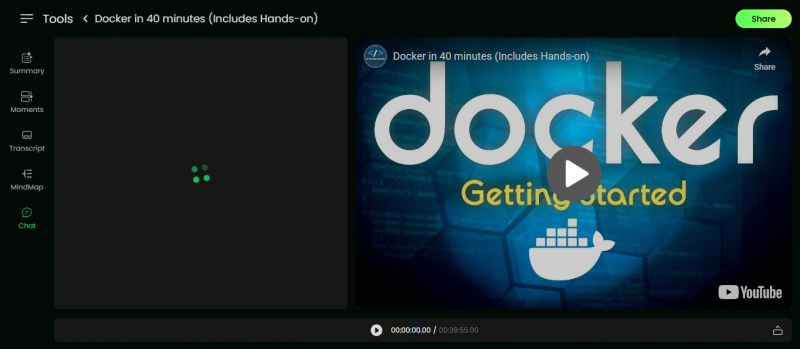
This was a detailed, forty-plus-minute technical tutorial that would normally require full attention and possibly multiple rewatches.
Wayin Video generated a structured summary and a chapter-style outline in under a minute.
The outline broke the tutorial into logical segments, such as setup, core explanation, demo, and troubleshooting sections, instead of dumping one long wall of text.
I used the outline as a roadmap: skimmed the sections, clicked only into the parts that matched my current problem, and ignored everything else.
The key difference was in how I consumed the content. Instead of passively sitting through the entire tutorial, I treated it like a reference document. I got the big picture from the summary and then dipped into only two or three crucial segments, yet I still walked away with a clear understanding of the overall flow and main takeaways.
2. An interview-style podcast video
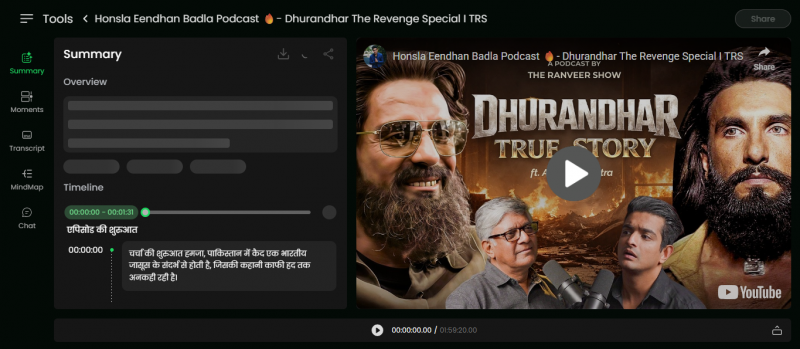
Next, I tested an interview format where nuance, quotes, and context matter much more than visuals.
The auto-generated transcript was clean enough that I could quickly scan it and copy quotes directly into my notes without manually correcting every other line.
The search bar became the real power feature here. I typed queries like “main challenge”, “mistakes”, and “future plans”, and Wayin Video jumped straight to those moments in the conversation.
Each search result landed on a relevant snippet, not random mentions of the same word, which made it feel more like searching a written article than scrubbing blindly through a timeline.
For this kind of content, Wayin Video turned a one-hour interview into a searchable knowledge base. Instead of replaying sections to find that “one line” I vaguely remembered, I could locate, confirm, and capture exact quotes in a few clicks.
3. An educational lecture recording
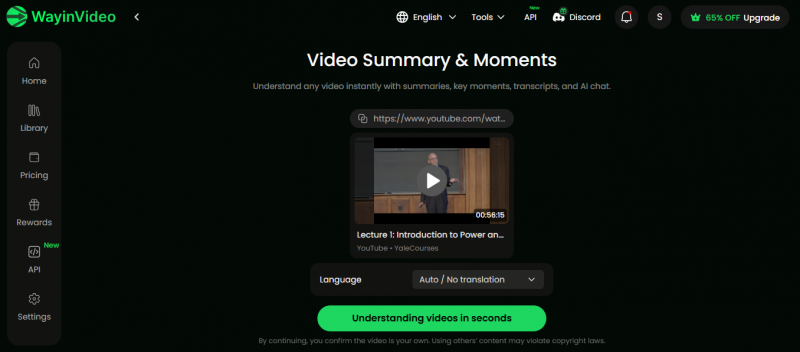
Finally, I used Wayin Video on a recorded lecture that was content-heavy and aimed at exam preparation.
The combination of transcript, search, and highlights was the standout here.
I could jump straight to definitions, theorems, or problem-solving walkthroughs by searching for key terms that would also appear in exam questions.
As I watched, I added highlights to segments I knew I would want to revisit. On the next pass, I did not re-watch the entire lecture; I just navigated through my saved highlights.
This changed the way I revised. The lecture stopped being a fixed, linear video and started behaving more like interactive study material, where I could bounce between high-yield sections instead of fast-forwarding blindly and overshooting important explanations.
What all three tests had in common
Across all three use cases—tutorial, podcast, and lecture—the pattern was consistent. Wayin Video did not completely replace watching videos, and it is not trying to. Instead, it changed the starting point from “press play and commit 40–60 minutes” to “skim, search, and then choose what to watch”.
Long videos became skimmable documents first and viewing experiences second.
I spent more time on the 20–30 percent of content that actually mattered to me.
Rewatching turned into quickly revisiting specific ideas, not re-consuming entire videos.
In practice, that meant I could still dive deep when I wanted, but I no longer felt forced to sit through every minute just to extract the few moments I really needed.
My Rating for Wayin Video
Based on testing and its usefulness in real work, this is how I rate it.
| Category | Rating (out of 10) | Comment |
| Ease of use | 9.1 | Very simple interface and workflow |
| Summary quality | 9.0 | Captures main ideas and structure reliably |
| Video search | 8.8 | Strong for targeted research and quick look ups |
| Transcription quality | 8.9 | Accurate and organised enough for quoting |
| Overall score | 9.0 | A genuinely useful productivity tool for video |
For someone who deals with video based learning or research every week, this score feels justified. It does what it claims and removes a real bottleneck.
Pricing and Plans
Wayin Video keeps the pricing structure straightforward.
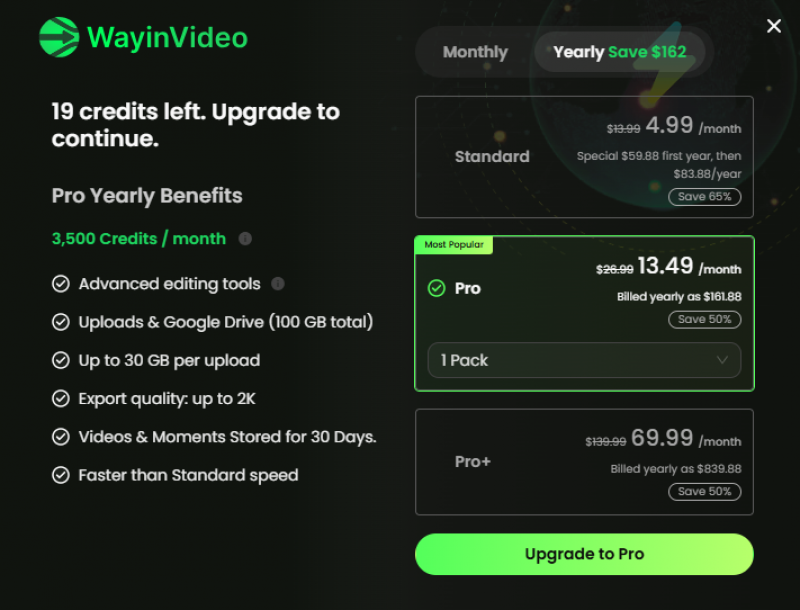
| Plan | Price (Yearly Billing) | Credits / Month | Export Quality | Storage | Key Highlights |
|---|---|---|---|---|---|
| Free | $0 | 200 (one-time) | Up to 720p | 3 days | Basic access, no uploads |
| Standard | $4.99/month | 1,500 | Up to 1080p | 50GB (15 days) | Local + Drive upload, faster speed |
| Pro | $13.99/month | 3,500 | Up to 2K | 100GB (30 days) | Faster processing, larger uploads |
| Pro+ | $69.99/month | 20,000 | Up to 4K | 150GB (30 days) | Highest performance, large-scale usage |
| Business | Custom | Custom | Custom | Custom | API, integrations, enterprise support |
The free tier is enough to see whether it genuinely fits your workflow. You can run several long videos through it, test summaries, search, and transcripts, and then decide. If you use it often for studies or work, a subscription stops credit management from becoming a distraction and lets you treat it as a standard part of your research or learning process.
Should You Use Wayin Video?
Wayin Video is most valuable if video is a major source of learning or information for you. If you mainly read articles, papers, and books, you might not feel the need for it immediately. If you live inside YouTube, lecture recordings, and webinars, it is a very practical way to stop losing entire evenings to long videos.
It will not think for you and it will not always capture every nuance in complex material, but it will give you a clean starting point: a summary you can trust most of the time, a transcript you can quote from, and a way to jump around inside a video like it was a searchable document.
If you like, next we can do a comparison piece such as “Wayin Video vs [another video AI tool]” with yet another structure, for example starting with a direct head to head winner section instead of a classic review flow.
Post Comment
Be the first to post comment!