Imagine finishing a long interview, podcast recording, or meeting and then realizing you still need to convert the entire conversation into text. For many creators, journalists, students, and researchers, transcription can take hours of tedious work.
This is exactly the type of problem TurboScribe AI was designed to solve. Instead of manually typing every spoken word, the platform uses artificial intelligence to automatically convert audio and video recordings into written transcripts.
AI transcription tools have become increasingly popular because they can dramatically reduce the time spent on documentation and note-taking. TurboScribe claims to deliver near-perfect transcription accuracy while supporting dozens of languages and large audio files.
But does it actually work well in real-world situations?
In this review, we will take a closer look at TurboScribe AI, its features, pricing, performance, and real user feedback to see whether it deserves a place in your workflow.
What is TurboScribe AI?
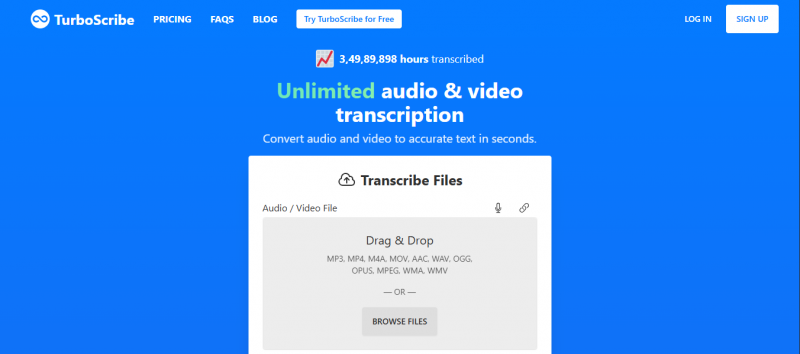
TurboScribe AI is an online speech-to-text platform designed to convert audio and video files into written transcripts automatically. The tool uses advanced artificial intelligence models to recognize speech, identify speakers, and generate accurate text from recordings.
Instead of listening to recordings and typing everything manually, users can upload a file and receive a completed transcript within minutes. The system supports a wide range of audio and video formats, making it suitable for podcasts, meetings, interviews, lectures, and video content.
One of the key technologies behind TurboScribe is OpenAI’s Whisper speech recognition model, which is known for its high transcription accuracy across different accents and languages.
Because of this technology, the platform claims to achieve around 99% transcription accuracy when working with clear audio recordings.
TurboScribe AI at a Glance
| Category | Details |
| Tool Name | TurboScribe AI |
| Tool Type | AI transcription software |
| Main Function | Convert audio and video into text |
| Accuracy Claim | Around 99% accuracy |
| Language Support | 98+ languages |
| File Limit | Up to 10 hours or 5GB per file |
| Best For | Podcasts, interviews, meetings, research |
TurboScribe is built for people who regularly deal with recordings and need a faster way to turn spoken content into searchable text.
Key Features of TurboScribe AI
AI Speech-to-Text Transcription
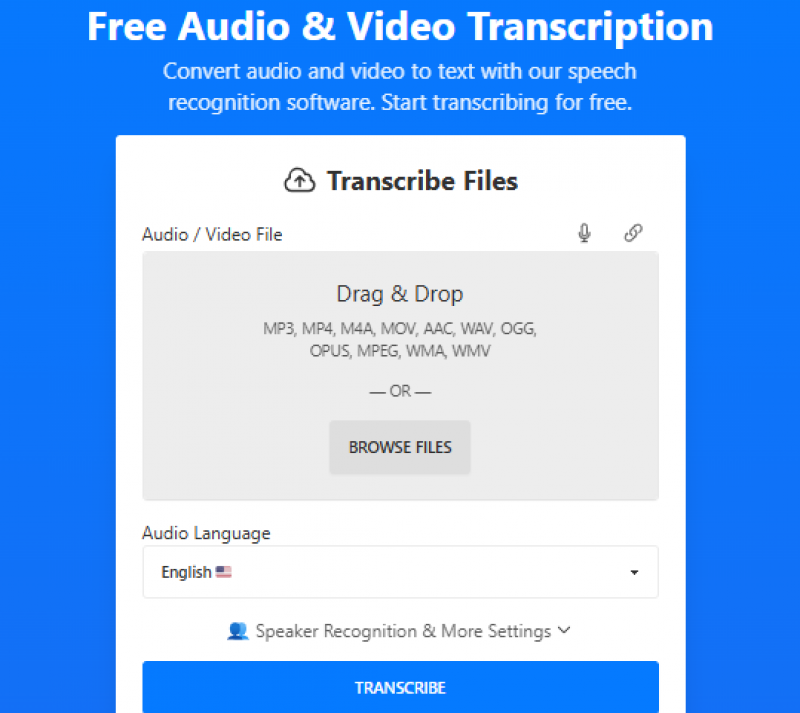
The most important feature of TurboScribe is its ability to automatically convert spoken audio into written text. Once an audio or video file is uploaded, the AI listens to the recording and generates a transcript in just a few minutes.
The system is capable of handling complex recordings, including conversations with different accents or multiple speakers. This allows users to process interviews, lectures, or meeting recordings without manually separating voices.
Because the transcription process is automated, users can save hours of work compared to traditional manual transcription.
High Accuracy Using Whisper AI
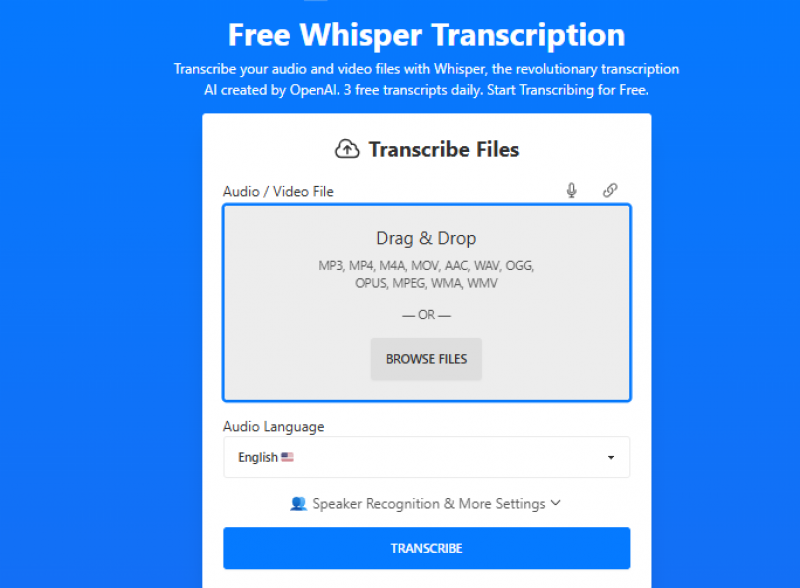
One of the main reasons TurboScribe stands out among transcription tools is its reliance on Whisper AI, a speech recognition model developed by OpenAI.
Whisper is known for performing well even in challenging audio environments. Recordings that include background noise or different accents can still be transcribed accurately.
According to several reviews, TurboScribe can reach close to 99% accuracy when the audio quality is clear, which makes it competitive with other AI transcription platforms. (
Support for Multiple Languages
Another advantage of TurboScribe is its multilingual support. The platform can transcribe speech from more than 98 languages, making it useful for international teams and creators.
In addition to transcription, the system can translate transcripts into over 130 languages. This feature is particularly helpful for content creators who want to reach a global audience.
For example, a podcast recorded in English could be transcribed and then translated into Spanish, French, or other languages within minutes.
Speaker Identification
When working with interviews or group conversations, identifying who said what can be difficult. TurboScribe includes automatic speaker recognition that separates dialogue between different speakers.
This feature helps organize transcripts in a way that resembles real conversations, which is especially useful for meetings, panel discussions, and podcast interviews.
Large File Support
Many transcription tools struggle with long recordings. TurboScribe addresses this by allowing users to upload files up to 10 hours in length or 5GB in size.
This makes it possible to process full conference recordings, lectures, or long interviews without splitting them into smaller files.
The platform also supports batch uploads, allowing users to process multiple files at the same time.
How TurboScribe AI Helps Different Users
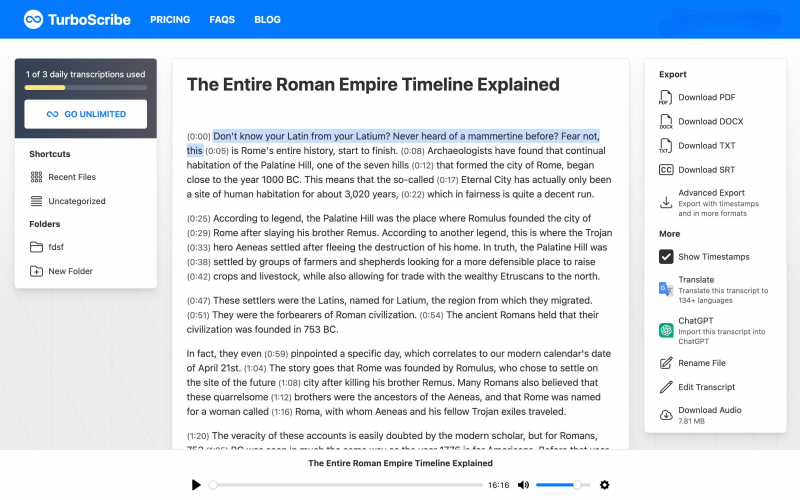
TurboScribe is designed to support a wide range of professional workflows.
Journalists often rely on transcription tools to convert interview recordings into written quotes for articles. Instead of typing the conversation manually, TurboScribe can produce a transcript within minutes.
Students and researchers can also benefit from AI transcription when reviewing lectures or recorded study sessions. By converting recordings into text, it becomes easier to highlight important information and search through notes later.
Podcasters and video creators use transcription tools to create captions, subtitles, and blog articles based on their recorded content.
In each of these situations, the main advantage is simple: less time spent typing and more time spent analyzing the information.
TurboScribe Pricing
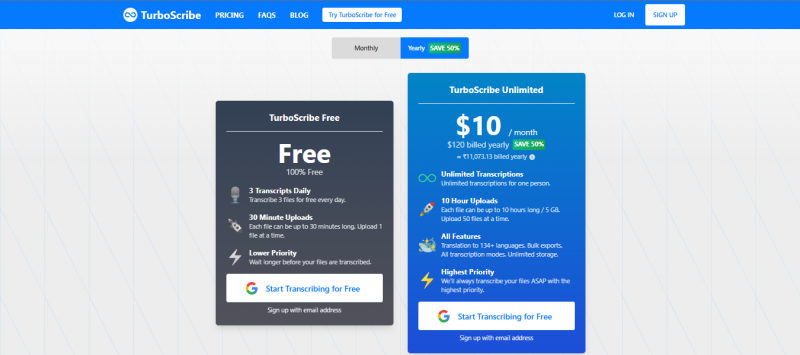
TurboScribe uses a relatively simple pricing structure compared to many other transcription tools.
| Plan | Price | Features |
| Free Plan | Free | Limited daily transcriptions |
| Unlimited Plan | $10 per month | Unlimited transcription usage |
The paid plan allows unlimited transcriptions for a single user and includes priority processing for faster results.
Unlike many transcription services that charge per minute of audio, TurboScribe focuses on unlimited usage, which can be more cost-effective for heavy users.
Real User Reviews
User reviews across several platforms highlight both the strengths and weaknesses of the tool.
Some users praise the accuracy and speed of the transcription engine.
One reviewer noted:
“TurboScribe is insanely accurate.”
Another user mentioned that the tool performs well even with large workloads and multiple files.
“It handles large numbers of files efficiently.”
However, not every user experience has been positive. Some reviewers have reported concerns related to billing or customer support on independent review platforms.
As with most AI tools, user satisfaction often depends on the specific workflow and expectations.
Pros and Cons of TurboScribe
TurboScribe offers several advantages that make it appealing for transcription tasks. The platform is relatively easy to use, delivers high transcription accuracy, and supports long audio recordings. Its unlimited transcription model can also be attractive for users who process large volumes of audio.
However, the platform does have limitations. Some competitors offer additional features such as meeting recording integrations, AI summaries, or collaborative editing tools. Depending on the use case, users may prefer a platform that provides more workflow automation.
Frequently Asked Questions
Is TurboScribe AI free?
TurboScribe offers a free version that allows users to transcribe a limited number of files each day.
How accurate is TurboScribe?
The platform claims around 99% transcription accuracy, especially when audio quality is clear.
What file formats does TurboScribe support?
TurboScribe supports many audio and video formats including MP3, MP4, WAV, MOV, AAC, and others.
Who should use TurboScribe?
The tool is commonly used by journalists, podcasters, students, researchers, and businesses that need fast transcription for recordings.
Final Verdict
TurboScribe AI is a powerful speech-to-text platform that focuses on making transcription faster and easier. With high accuracy, multilingual support, and the ability to process long recordings, the tool can save significant time for people who regularly work with audio content.
Although some competitors provide additional features like meeting integrations or AI summaries, TurboScribe remains a strong option for users who primarily want reliable transcription with minimal complexity.
For creators, researchers, and professionals dealing with large volumes of recordings, TurboScribe AI can be a valuable addition to the workflow.
Post Comment
Be the first to post comment!