Table of Content
- Understanding Napkin AI’s Purpose and Core Design
- How Napkin AI Transforms Text Into Structured Visuals
- Performance Evaluation: Speed, Accuracy, and Consistency
- Key Features That Matter for Professionals
- Integration, Exporting, and Team Collaboration
- Napkin AI Pricing in 2025: Simple, Clear, and Easy to Navigate
- User Feedback and Real-World Sentiment
- Competitive Landscape and Alternatives
- Who Will Benefit Most From Napkin AI
- Final Verdict: Should You Use Napkin AI in 2025?
- FAQs
Napkin AI Review 2025 explores how the tool converts text into professional diagrams in seconds, its pricing structure, its strengths, limitations, and whether it’s worth adopting for business storytelling.
Understanding Napkin AI’s Purpose and Core Design

Napkin AI was built for one purpose: to shorten the distance between an idea and its visual form. Traditional diagramming tools require templates, formatting, and manual layout decisions. Napkin flips that model. You write or paste text, and it turns that text into visuals instantly.
The takeaway is simple. Instead of wrestling with shapes and connectors, you focus entirely on the message. The AI handles the structure.
How Napkin AI Transforms Text Into Structured Visuals
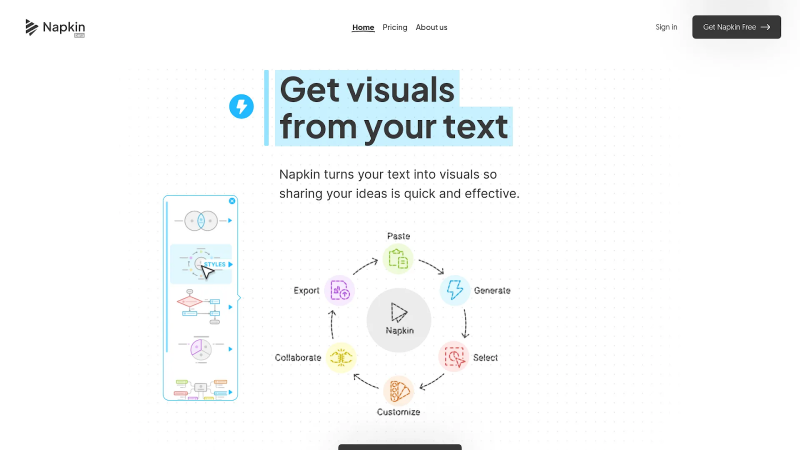
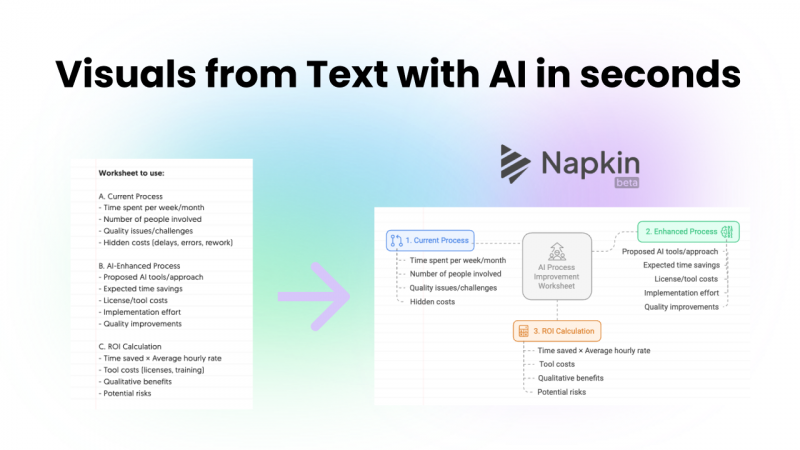
Napkin operates through a streamlined interpretation pipeline:
- You paste your notes or bullet points.
These can be steps, comparisons, lists, or a short explanation. - The AI analyzes the hierarchy.
Sequential elements become flows. Comparisons become tables. Related clusters become mind maps. - The system generates several diagram options in a few seconds.
Typically between 3–8 seconds. - You pick your preferred structure.
This can include flowcharts, mind maps, Venn diagrams, and comparison layouts. - You make quick refinements in a lightweight editor.
Change a color, adjust spacing, or switch layout orientation.
Accuracy is strongest when the input text is structured. The tool occasionally struggles with abstract requirements or niche shape designs because its visual logic is based on predefined layout families.
Performance Evaluation: Speed, Accuracy, and Consistency
Speed is Napkin’s most significant advantage. The platform consistently transforms text into structured diagrams faster than any traditional design tool.
Accuracy Strengths
- Converts comparison paragraphs into organized tables.
- Handles sequential steps with minimal correction.
- Automatically identifies relationships between ideas.
Where It Falls Short
- Visuals may feel repetitive when used heavily.
- Unusual, brand-specific shapes are harder to generate.
- Free-form creativity remains limited because the system is optimized for clarity, not artistic variation.
The result is reliable consistency with occasional constraints for advanced design teams.
Key Features That Matter for Professionals
Napkin AI includes several features designed for teams that rely on brand cohesion and fast iteration.
- Elastic Design: As text evolves during editing, the entire diagram automatically adjusts. You rarely need to realign boxes or redraw connectors.
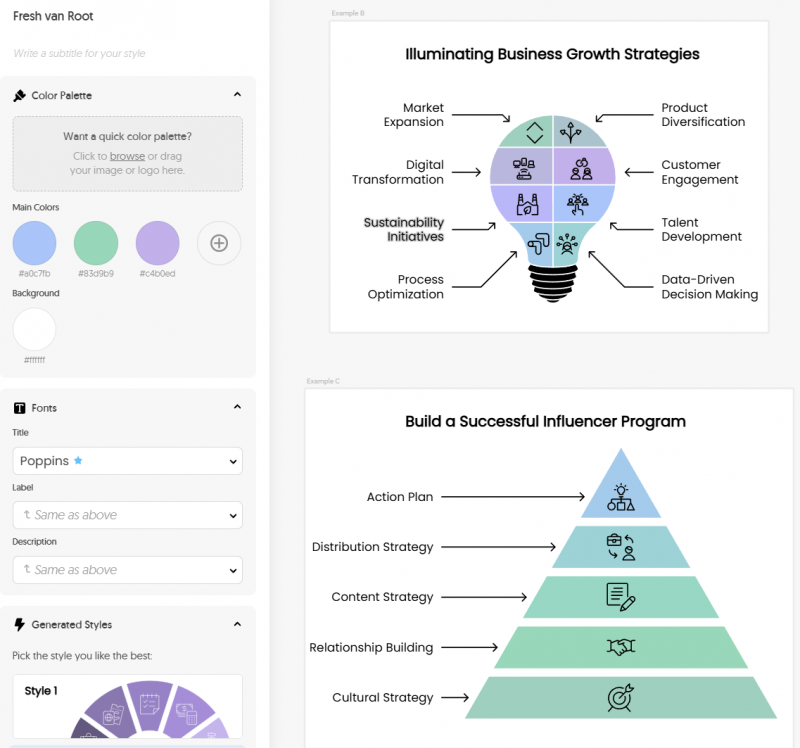
- Brand Style Extraction: Upload brand colors or fonts once, and Napkin stores them as reusable styles. Every future diagram can match your corporate identity with one click.
- Simple, Focused Editing Tools: Instead of a cluttered interface, the editor surfaces only essential adjustments—shape spacing, text changes, color updates, or layout direction.
This strikes a balance between automation and control.
Integration, Exporting, and Team Collaboration
Napkin fits easily into presentation-heavy workflows thanks to flexible exporting:
- PNG & PDF for quick sharing
- SVG for scalable graphics
- Editable PPTX for PowerPoint, Google Slides, and Canva
The PPTX export is a standout. Diagrams remain editable at the element level, which means teams can fine-tune layouts during final slide preparation.
Real-time team features allow collaborators to comment directly on diagram elements, making revision cycles clearer.
The main limitation: Napkin does not yet provide native integrations or an API, so connecting it to platforms like Notion or WordPress still requires manual file handling.
Napkin AI Pricing in 2025: Simple, Clear, and Easy to Navigate

Napkin keeps its pricing structure refreshingly straightforward compared to many AI design tools. Instead of complex usage rules or hidden add-ons, each plan scales mainly through AI credits and branding/customization features. Credits function as generation capacity, the more you have, the more visuals you can produce each month.
Here’s how the current plans break down:
Napkin AI Plans at a Glance
| Plan | Monthly Price | AI Credits | Key Benefits |
|---|---|---|---|
| Free Forever | $0 | 500/week | Unlimited editing & imports, PNG/PDF export, standard icons (with Napkin branding) |
| Plus | $9/person | 10,000/month | SVG & PPT export, 3 Brand Styles, bold icons, remove branding, team billing |
| Pro | $22/person | 30,000/month | Exclusive designs, custom branding, font uploads, advanced team controls |
How the Pricing Feels in Real Use
The Free plan is surprisingly generous. Weekly credits refresh automatically, and you can import as many files as you want: PPT, DOC, PDF, HTML, and Markdown, which is rare for a free tier.
The Plus plan introduces the features most professionals care about, especially the ability to export SVGs and PowerPoints. Removing Napkin’s branding is a big step up for consultants, freelancers, or anyone sharing visuals externally.
The Pro plan is built for teams that care about brand control. Uploading your own fonts and using custom branding makes it suitable for agencies or companies standardizing visual communication.
Overall Value
Compared to competing tools that charge $15–$20 for basic functionality, Napkin offers more credits, more import options, and stronger design flexibility at lower prices. If you create visuals regularly, strategy docs, workshops, pitches, or explainers — the jump from Free → Plus is the sweet spot.
User Feedback and Real-World Sentiment
Professionals consistently highlight:
What Users Love
- The speed of text-to-diagram generation
- Ease of use for non-designers
- Quality of PPTX export for presentations
- Dramatic reduction in manual formatting time
What Users Find Limiting
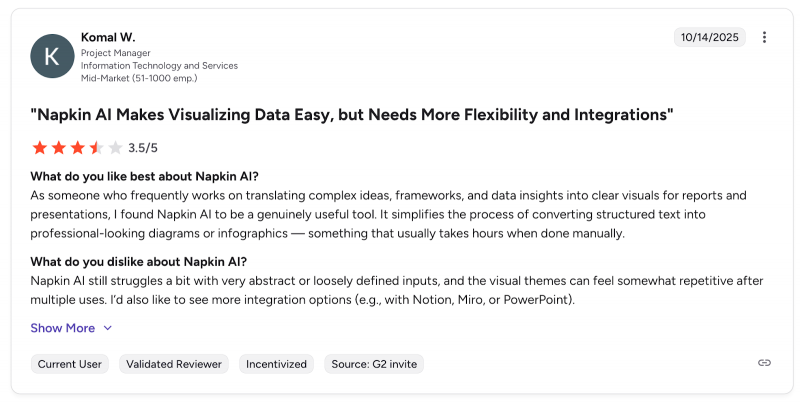
- Visual styles can feel repeated across multiple projects
- No mobile app or offline mode
- Heavy users want broader template diversity
On balance, sentiment trends positive, particularly among consultants, marketers, and educators.
Competitive Landscape and Alternatives
Napkin AI does not attempt to replace full design suites. It occupies a targeted middle layer.
| Tool | Strength | How It Compares |
|---|---|---|
| Presentations.AI | Full slide deck automation | Better for full decks, not single diagrams |
| Miro / Lucidchart | Complex workflow mapping | Stronger for technical teams, slower for solo creators |
| Excalidraw | Sketch-style visuals | Great for rough ideation; lacks automation and branding |
Napkin’s unique value is turning structured text into polished visuals instantly—something none of these tools specialize in.
Who Will Benefit Most From Napkin AI
- Consultants building frameworks and client visuals
- Content creators preparing articles or guides
- Marketing teams generating branded diagrams
- Educators simplifying complex topics
- Anyone who frequently converts ideas into slides or documentation gains significant time savings.
Final Verdict: Should You Use Napkin AI in 2025?
Napkin AI delivers impressive speed and clarity, transforming structured text into professional diagrams in seconds. Its brand tools, PPTX exporting, and Elastic Design engine make it ideal for workflows centered on presentations and business communication.
If your job involves explaining ideas visually—whether to clients, teams, or readers—Napkin AI is a strong investment. If you need free-form, technical, or highly custom visual design, you may need a complementary tool.
For business storytelling, however, Napkin AI stands out as one of the fastest and most practical tools available in 2025.
FAQs
1. Does Napkin AI require design experience?
No. It was built specifically to eliminate design complexity for non-designers.
2. Can I edit visuals after exporting to PPTX?
Yes. Every element remains editable inside PowerPoint or Google Slides.
3. How many credits do typical diagrams use?
Most visuals fall between 40–150 credits, depending on word count.
4. Can Napkin handle very complex system diagrams?
Not yet. It performs best with business-oriented, structured diagrams.
5. Does it support brand templates?
Yes. You can upload brand colors, fonts, and presets that apply to all new diagrams.
6. Is the free plan enough for professional use?
It works for light use, but regular creators will need the Plus or Pro Plan.
Post Comment
Be the first to post comment!