Table of Content
- The Real Problem Toolbaz Solved for Me
- How I Actually Use Toolbaz
- The Writing Quality: Consistently Okay, Rarely Better Than That
- Long-Form Content Is Where the Cracks Show
- Creative Writing: Good for Warm-Ups, Not Final Stories
- What I Genuinely Like About Toolbaz
- What Still Annoys Me Every Time
- The Honest Bottom Line
I didn’t adopt Toolbaz AI deliberately.
It crept into my workflow.
At first, it was just a quick fix, something I opened when I didn’t want to log in, subscribe, or think too hard. Over time, I realized I was opening it more often than I expected. Not because it was the best AI tool I’d used, but because it was the easiest one to reach.
That difference matters more than most people admit.
The Real Problem Toolbaz Solved for Me
The biggest problem Toolbaz solved wasn’t writing quality.
It was friction.
Most AI tools demand something upfront:
- An account
- An email
- A trial timer
- A credit card “just in case”
Toolbaz didn’t ask for any of that.
When I was:
- Stuck on a paragraph
- Unsure how to phrase an idea
- Mentally tired but still working
I could open Toolbaz and start typing immediately. That alone made it useful before I even judged the output.
How I Actually Use Toolbaz
I don’t “use Toolbaz” in the traditional sense.
I use it for:
- Dumping messy thoughts
- Turning bullet points into sentences
- Testing how an idea sounds out loud
- Rewriting something I’ve stared at for too long
I don’t use it for:
- Final drafts
- Publishing
- Anything that needs a strong voice
Toolbaz is where my work starts, not where it ends.
The Writing Quality: Consistently Okay, Rarely Better Than That
If I had to summarize Toolbaz’s writing in one word, it would be safe.
The positives:
- Grammar is almost always correct
- Sentences make sense
- Structure is logical
- It rarely hallucinates nonsense
The negatives:
- Tone is flat
- Phrasing repeats itself
- Nothing sounds uniquely “me”
Every output feels like a baseline draft. Useful, but unfinished. I always know I’ll need to rewrite — and I’ve learned to accept that upfront.
Long-Form Content Is Where the Cracks Show
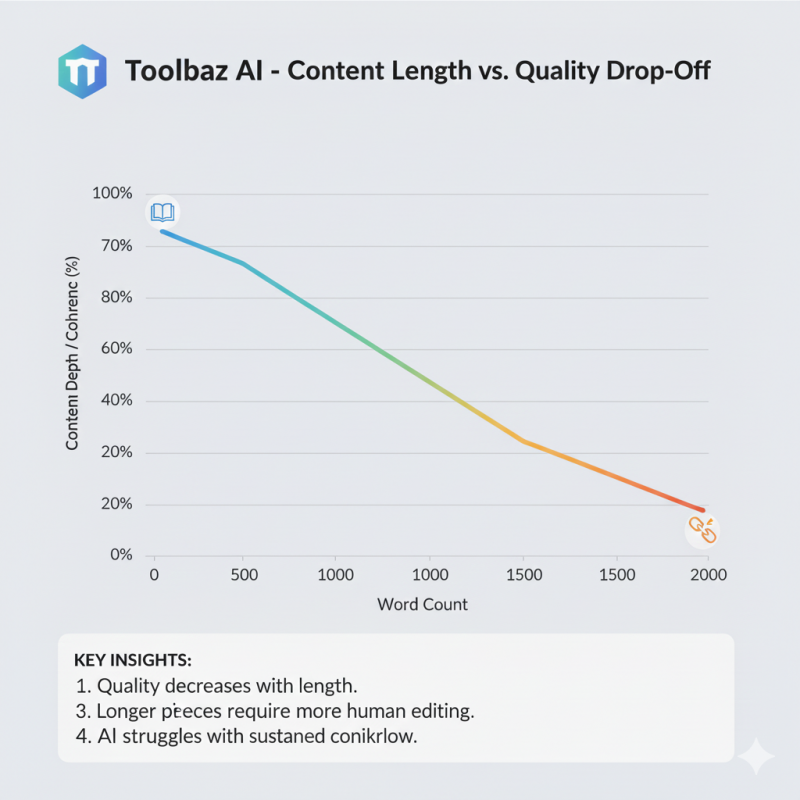
I tried pushing Toolbaz to do more.
- Long articles.
- Detailed explanations.
- Multi-section pieces.
It can do it, but the quality drops fast.
What I noticed:
- Ideas start looping
- Sections feel loosely connected
- Depth doesn’t scale with length
Eventually, I stopped asking it for full articles. Instead, I use it for:
- Outlines
- Section expansions
- Rephrasing dense paragraphs
Once I stopped forcing it beyond its comfort zone, the frustration disappeared.
SEO Tasks: Helpful, But Only If You Already Know SEO
Toolbaz helped me write:
- Meta descriptions
- Short summaries
- Clean informational paragraphs
What it didn’t help with:
- Understanding search intent
- Structuring topical authority
- Competing with real SERP leaders
If you already understand SEO, Toolbaz can save time.
If you don’t, it won’t teach you.
It behaves like a text generator, not an SEO strategist — and expecting otherwise leads to disappointment.
Creative Writing: Good for Warm-Ups, Not Final Stories
Out of curiosity, I tested the story generator.
The output was:
- Coherent
- Predictable
- Familiar
It didn’t surprise me emotionally, but it did help me get unstuck. I used it the same way athletes stretch before training — not the workout itself, but preparation for it.
That’s where it fits best.
Code, Images, and Voice Tools: Useful, But Secondary
I tested almost everything.
Code:
- Fine for syntax and explanations
- Not something I’d trust in production
Images:
- Okay for placeholders
- Limited control
- Inconsistent results
Voice tools:
- Clear but robotic
- Functional, not expressive
None of these features made me choose Toolbaz. They’re conveniences, not reasons.
The Moment I Hit the “Free” Wall
At first, Toolbaz felt unlimited.
Then slowly:
- CAPTCHAs appeared
- Responses slowed
- Heavy sessions felt restricted
I was never blocked outright, but I could feel the limits. That’s when I understood the deal: Toolbaz is free until you lean on it too hard.
Once I adjusted my expectations, it stopped bothering me.
What I Genuinely Like About Toolbaz
After all this time, here’s why it still earns a place in my browser:
- No login, ever
- Instant access
- Fast output
- Lots of tools in one place
- Great for experimentation
When my brain is tired, Toolbaz does the first 20% of the work for me.
What Still Annoys Me Every Time
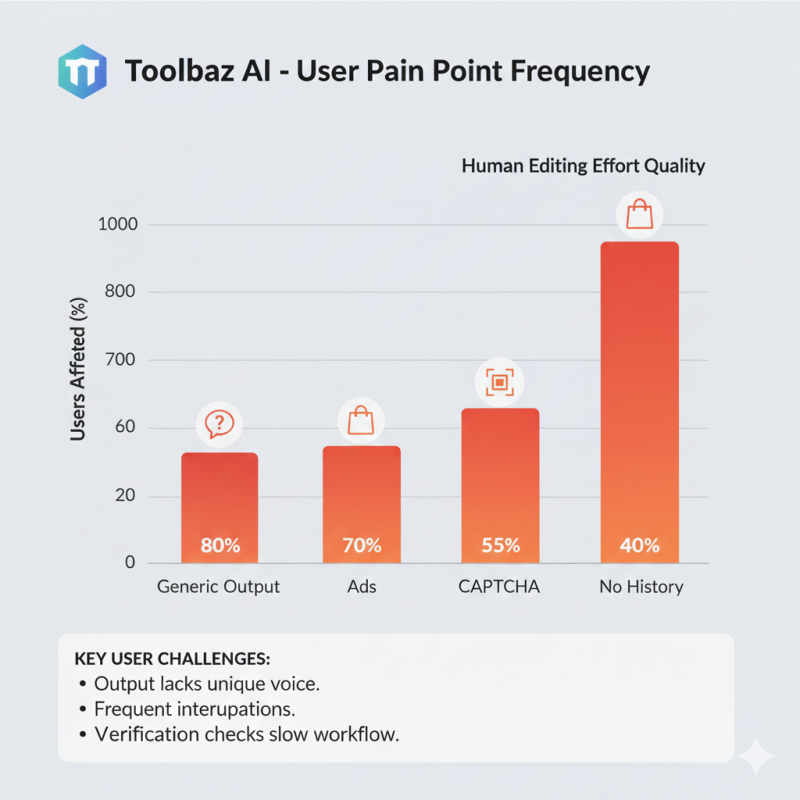
Just as honestly, these things still break my flow:
- Generic tone
- No saved history
- Ads pulling focus
- CAPTCHAs mid-session
- Not publish-ready output
These aren’t bugs. They’re the cost of “free.”
Who Toolbaz Feels Built For (And Who It Isn’t)
From actual use, Toolbaz feels made for:
- Students
- Freelancers
- Early-stage creators
- Anyone starting from a blank page
It feels wrong for:
- Professional publishing
- Brand-critical writing
- Deep research
- Teams and enterprises
Once you know where it belongs, it’s much easier to appreciate it.
The Honest Bottom Line
Toolbaz AI didn’t change how I work.
It changed how quickly I start.
It doesn’t replace my thinking.
It doesn’t replace premium tools.
It doesn’t produce magic.
But it reliably turns nothing into something, and sometimes, that’s the hardest part of the job.
Used intentionally, Toolbaz is helpful.
Used blindly, it’s disappointing.
And knowing that difference makes all the difference.
Post Comment
Be the first to post comment!