Overview
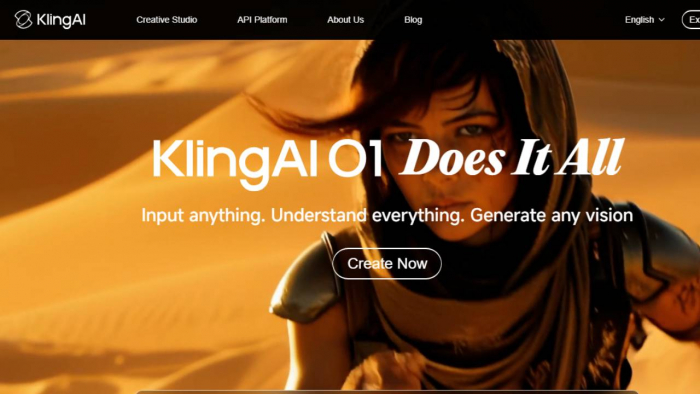
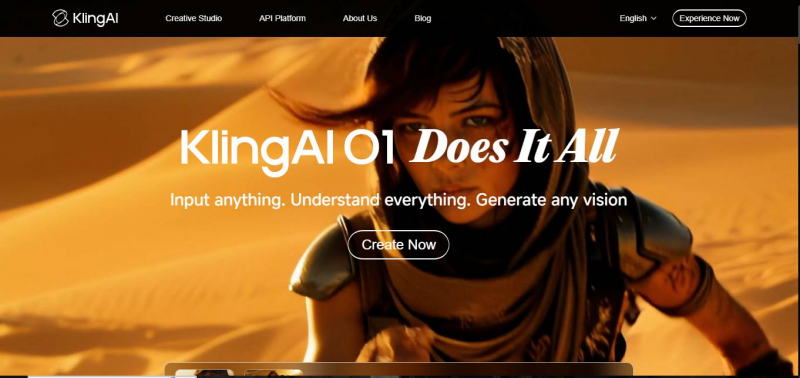
Kling AI is an advanced creative studio that enables users to generate high-quality videos, images, and animations from simple text prompts. Designed for content creators, marketers, and businesses, it combines text-to-video, image-to-video, and motion editing features within one seamless platform. Whether you’re a social media influencer looking to create quick, engaging videos, or a brand producing polished promotional content, Kling AI provides all the tools you need to turn ideas into professional-quality media.
Key features include watermark-free video generation, 1080p to 4K output, motion control tools, and the ability to animate static images, making it a versatile solution for creators of all skill levels. With flexible credit-based pricing, users can scale their usage to fit their needs, from casual video generation to high-volume production.
What Is Kling AI?
Kling AI is a web-based content creator that lets users generate videos and animated visuals from text and images. It’s part of the growing wave of AI video tools designed to democratize content creation — enabling creators without editing experience to make short clips, social videos, and dynamic visuals with minimal effort.
At its core, Kling AI processes user prompts and image uploads and returns AI-generated videos or animations in a range of styles and resolutions. It’s pitched as easy to use for creators, marketers, and social media teams.
How to Use Kling AI – Step-by-Step Guide
Step 1 — Create Your Account
1. Visit https://klingai.com/global/
2. Sign up with your email or Google/Yahoo account.
Note: Users often report forced login methods and difficulties switching accounts.
Step 2 — Choose a Plan
● Test on the Free Plan
● Subscribe for more credits and faster generation
If you plan heavy usage, start with Standard or Pro to avoid delays.
Step 3 — Enter Your Prompt
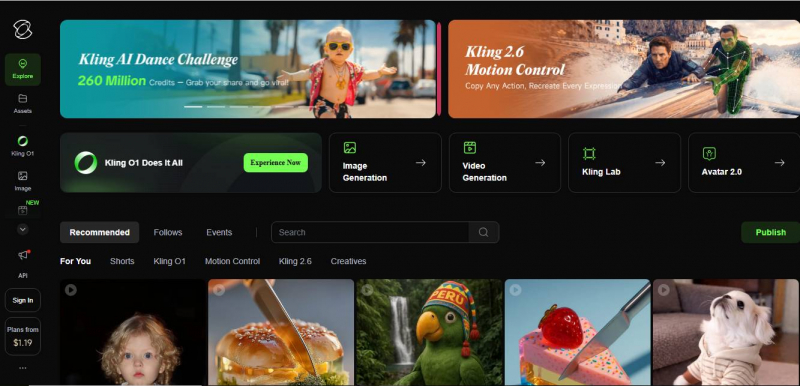
1. Click “Generate New”
2. Choose text-to-video or image-to-video
3. Provide clear, descriptive prompts (e.g., “A cozy coffee shop scene at sunrise with gentle camera walk-through”)
4. Adjust settings for quality (Standard vs Pro)
Step 4 — Generate & Wait
● Free users may wait longer in the queue
● Paid plans offer “fast track” generation
Common pitfall: Jobs can stall at 99% and still consume credits.
Step 5 — Download & Edit
When complete, download your clip. Use external editors (like Premiere Pro or CapCut) for final polishing.
Kling AI Pricing Table (Detailed & Accurate)
| Plan Name | Monthly Price | Annual Price | Monthly Credits | Resolution & Features | Notes |
| Free | $0 / month | $0 / year | 66–166 daily credits | Up to 720p, standard mode only, watermarked outputs | Entry plan with daily credits and very limited generation. Best for testing only. |
| Standard | $6.99 / month | $79.20 / year (~$6.60/mo) | 660 credits / month | Up to 1080p, no watermarks, professional mode trials, faster queue | Ideal for small creators & social videos. |
| Pro | $25.99 / month | $293.04 / year (~$24.42/mo) | 3,000 credits / month | Up to 4K, priority rendering & support, full Pro features | Good balance for regular creators & marketers. |
| Premier | $64.99 / month | $728.64 / year (~$60.72/mo) | 8,000 credits / month | Highest priority, enterprise-ready features, API access | Best for teams and high-volume workflows. |
| Ultra | ~$119.16–$180 / month | $1,429.99 / year (~$119.16/mo) | 26,000 credits / month | Maximum credits, full suite of features, premium support | Designed for heavy commercial use and large-scale production. |
Common Problems & Solutions
Problem 1 — Credits Vanish or Don’t Work
Solution:
. Only buy credits via official site
. Test with small packs first
. Track usage carefully
Problem 2 — Generation Fails or Free Credits Don’t Work
Solution:
. Upgrade to a paid plan for faster queues
. Try different prompts
. Logout and retry if job stalls
Problem 3 — Billing Doesn’t Stop After Cancellation
Solution:
● Cancel via your payment provider (Stripe dashboard)
● Contact bank for charge reversal if needed
Competitors & Alternatives (2026)
The AI video tool landscape is competitive. Here are top alternatives worth considering:
| Tool | Strength | Ideal For |
| Runway | Professional video editing + AI | Advanced creators |
| Pika Labs | Easier, fun text-to-video | Social clips, novice users |
| Luma AI / Dream Machine | High-quality 3D & depth visuals | Cinematic, advanced workflows |
| Google Veo | Premium cinematic quality | Studios & agencies |
| Hailuo AI | Strong prompt adherence | Technical content creators |
Tools like Runway or Pika Labs also offer more consistent support and reliable billing structures.
Kling AI’s Key Strengths & Areas for Improvement
Key Strengths:
1. AI-Powered Video Creation (Text & Image to Video)
Kling AI excels at turning text prompts and images into dynamic videos, making it a versatile tool for creators who need quick video content.
2. High-Quality Output (Up to 4K)
Kling AI supports 1080p to 4K video resolution, providing professional-grade outputs suitable for various industries, including marketing, social media, and entertainment.
3. User-Friendly Interface
The platform is intuitive, with a minimal learning curve. It allows creators, even beginners, to quickly generate and edit AI videos without needing extensive technical skills.
4. Fast Rendering & Priority Support for Paid Plans
Fast video generation times ensure creators meet tight deadlines. Paid users also get priority rendering, making it an attractive option for businesses or high-volume creators.
5. Collaborative Features
Kling AI enables team collaboration, making it easier for multiple users to work on projects simultaneously, which is perfect for agencies or marketing teams.
6. Flexible Pricing Plans
The credit-based system offers scalability, with a free plan for casual users and paid plans that cater to different levels of video creation needs.
Areas for Improvement:
1. Credit Expiry & Limited Free Plan
Unused credits expire at the end of the day or month, which can be frustrating for users who don’t generate content daily. Additionally, the free plan is quite basic, limiting credits and access to advanced features like watermark-free videos.
2. Reliance on Credits for Paid Plans
Some users find the credit system difficult to navigate, with costs sometimes being unpredictable. Unlike subscription models, this might be a challenge for creators who want consistent costs.
3. Limited Customization for Advanced Users
While Kling AI offers basic editing tools, advanced creators may find the customization options lacking compared to more traditional video editing software like Adobe Premiere or Final Cut Pro.
4. Occasional Customer Support Delays
Some users report slower response times from customer support, especially on lower-tier plans. This may be an issue when users face technical difficulties during important projects.
5. Learning Curve for Advanced Features
Certain advanced features, like motion control and video extensions, require some practice to master, which may make it challenging for beginners or those new to AI video editing.
Final Verdict: Should You Use Kling AI?
Kling AI has generated a lot of buzz in the AI-powered video creation space. With its text-to-video and image-to-video capabilities, it promises a streamlined, creative solution for content creators looking to produce professional-grade media without extensive video editing skills. However, as with any tool, it’s important to weigh the pros and cons to determine whether it’s the right fit for your needs.
Who Should Use Kling AI?
Best for:
● Curious Hobbyists: Kling AI is perfect for people who are experimenting with AI-powered video creation and want to quickly test the tool’s capabilities. The free plan allows users to dive in without a financial commitment, and its easy-to-use interface makes it accessible for those with little to no video editing experience.
● Social Media Creators & Influencers: If you're looking for a quick and easy way to generate engaging content for platforms like Instagram, YouTube, or TikTok, Kling AI’s high-quality, AI-generated videos can save you time while still delivering professional-looking results.
● Small Teams or Solo Creators: For individuals or small teams with basic video creation needs, Kling AI’s collaboration features and affordable pricing plans can make it a convenient tool for producing videos without the complexity of traditional video editing software.
Post Comment
Be the first to post comment!