You land in a new city, tired from the flight, and the first thing you instinctively do is connect to the airport's free Wi-Fi. It's fast, it's free, and it saves your data. What's not to love?
Quite a bit, as it turns out.
Public Wi-Fi has been a persistent security headache for travelers for years, and the risks haven't gone away just because we've gotten more comfortable with it. Whether you're checking emails at a hotel lobby, scrolling through maps at a café in Lisbon, or booking your next train from a station lounge, every connection on an open network is a potential exposure point.
The good news is that eSIM technology has quietly become one of the most practical tools for sidestepping these risks entirely - and most travelers haven't fully realized it yet.
The Real Problem With Public Wi-Fi
Before we get into the solution, it's worth understanding exactly what you're up against.
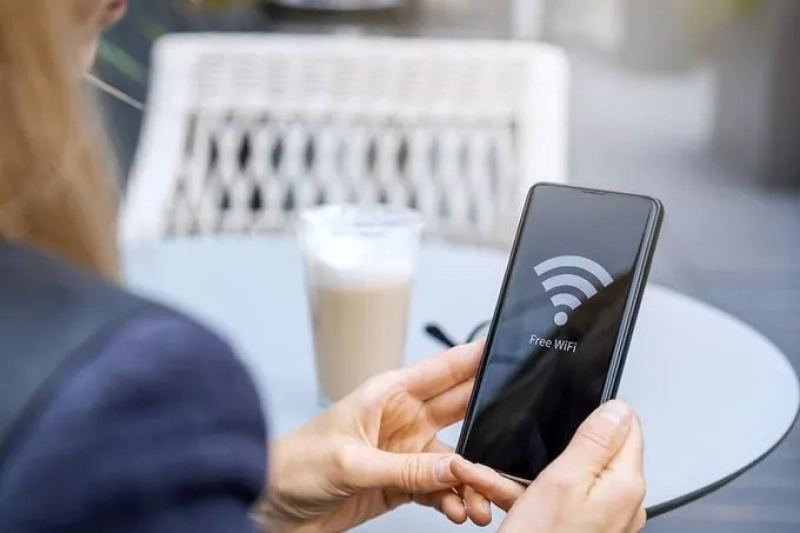
Open Wi-Fi networks are, by design, shared environments. Anyone on the same network can potentially monitor unencrypted traffic passing through it. The most common attack is the "man-in-the-middle" attack, where a cybercriminal positions themselves between you and the network to intercept data. There's also the "evil twin" hotspot - a fake network that mimics a legitimate one (think "Airport_Free_WiFi" vs. "Airport Free WiFi") that tricks you into handing your traffic directly to an attacker.
The U.S. Cybersecurity and Infrastructure Security Agency (CISA) explicitly warns travelers that public Wi-Fi hotspots, while convenient, are not always secure and present real opportunities for cybercriminals to steal sensitive information. This isn't just a theoretical risk - it's the kind of thing that happens in the very airports and hotel lobbies most travelers rely on.
Even if your browsing is largely encrypted via HTTPS these days, metadata, DNS queries, login attempts, and app traffic can still leak. And if you're doing anything remotely sensitive, like online banking, accessing work accounts, filling in travel forms, the stakes go up considerably.
Enter the eSIM: A Smarter Way to Stay Connected
Here's where eSIM technology changes the equation.
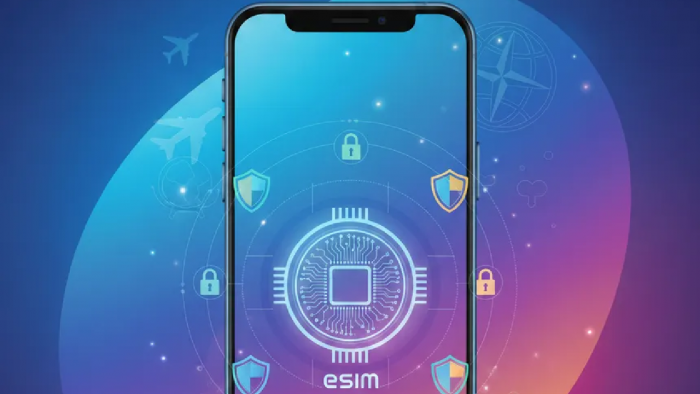
An eSIM (embedded SIM) is a digital SIM built directly into your device. Instead of swapping physical cards when you arrive somewhere new, you simply download a local data plan. For travelers heading to Europe, for example, picking up an Europe eSIM from a provider like Saily means you can activate cellular data before you even land - no airport SIM kiosks, no fumbling with tiny cards, no need to hunt for Wi-Fi just to get your bearings.
But the security benefits go beyond convenience.
When you browse the internet over a cellular connection rather than public Wi-Fi, your traffic goes through your carrier's encrypted mobile network. This is fundamentally different from connecting to an open hotspot. There's no shared access point, no unknown users on the same network, no vulnerability to eavesdropping by someone sitting across the café with a packet sniffer. Your data travels point-to-point between your device and the carrier's infrastructure, a significantly more controlled environment.
Additionally, because an eSIM is embedded in your device's hardware and tied to your specific account, it can't be physically stolen or cloned the way a traditional SIM card can. SIM swapping, a fraud technique where attackers impersonate you to your carrier to take over your number, is also much harder to pull off with eSIM technology, since the authentication layers are more robust.
What This Looks Like in Practice
Let's say you're spending two weeks traveling through Western Europe. You'll be in France, Spain, and Italy. Under the old model, you'd either pay your home carrier's expensive roaming rates or collect a new physical SIM in each country - which means either relying on airport Wi-Fi while you sort things out, or going without data entirely.
With an eSIM, you activate a regional data plan before departure. From the moment you land, you're on a cellular connection. You don't need to touch the airport Wi-Fi. You pull up Google Maps, message your contacts, check your accommodation details - all over secure mobile data.
This matters more than people realize. The airport Wi-Fi you would have used instead is exactly the kind of environment CISA and the FTC flag as high-risk: high foot traffic, minimal security oversight, and plenty of strangers sharing the same network.
eSIMs Don't Make You Invincible - But They Remove the Biggest Risk
It's worth being honest here: an eSIM is not a complete cybersecurity solution. There are still things that can go wrong.
Phishing attacks, for instance, don't care whether you're on Wi-Fi or cellular - if you click a malicious link, the connection type won't save you. App-level vulnerabilities, weak passwords, and unsecured accounts are threats that exist regardless of how you connect. And if your carrier has poor security practices, that's a separate problem altogether.
Staying safe while traveling also requires understanding the broader cybersecurity landscape. As this top cybersecurity trends overview points out, attackers have shifted heavily toward targeting identities and credentials - meaning strong passwords, two-factor authentication, and good digital hygiene remain essential no matter how secure your connection is.
What an eSIM does extremely well is eliminate your reliance on public Wi-Fi for basic connectivity. That one change removes a major attack vector from your threat model. You're no longer forced to weigh convenience against security every time you need to check something online. You just... use your phone, the way you would at home.
A Few Extra Steps Worth Taking
If you're traveling with an eSIM and want to maximize your security posture, a few additional habits go a long way:
- Use your eSIM as a hotspot when possible. If you're traveling with a laptop or tablet and need internet access, tethering to your eSIM connection is dramatically safer than using hotel Wi-Fi for anything sensitive.
- Turn off Wi-Fi auto-connect. Most smartphones will automatically jump onto any network they've connected to before - or any open network if configured that way. Disable this so you're always consciously choosing your connection.
- Keep your OS and apps updated. Mobile operating systems push security patches regularly. An unpatched device is a vulnerable device, regardless of how secure your network is.
- Consider a VPN for an extra layer. Even on a cellular connection, a reputable VPN can add another layer of encryption for particularly sensitive tasks like accessing corporate systems or online banking while abroad. It's not strictly necessary over mobile data, but it doesn't hurt.
- Activate your eSIM before you travel. Some eSIM providers require a stable Wi-Fi connection to complete the initial activation. Do this from your home network - not from an airport - to avoid the irony of needing unsecured Wi-Fi to set up the very thing that was supposed to replace it.
The Bottom Line
Public Wi-Fi will probably never go away, and it's not always avoidable - sometimes a café's Wi-Fi is genuinely your best option. But for the routine connectivity that makes up most of a traveler's digital life, an eSIM running on a solid regional data plan is a meaningfully more secure alternative.
The shift is subtle: instead of defaulting to whatever open network is nearby and hoping for the best, you have a reliable, encrypted connection in your pocket from the moment you land. For travelers who handle anything sensitive on the road - and let's be honest, that's most of us - that's a change worth making.
The security community has been saying for years that public Wi-Fi is a risk. The tools to avoid it have finally caught up.
Post Comment
Be the first to post comment!