Table of Content
- What Exactly Is NoteGPT?
- Getting Started: Creating Your NoteGPT AI Workspace
- The NoteGPT AI YouTube Toolkit: A Full Breakdown
- PDF Tools: Turning Documents Into Summaries & Notes
- Audio & Video File Tools
- Study Tools: Making Learning Materials Automatically
- Presentation Tools: Converting Content Into Slides
- Writer Tools: Drafting, Rewriting, and Idea Generation
- Diagram Tools: Visualizing Information Quickly
- Using NoteGPT AI for Workflows
- Limitations You Should Know Before Using NoteGPT
- Conclusion: NoteGPT AI as a Learning Companion
AI learning tools have exploded over the last few years, but very few platforms combine video summarization, PDF digestion, note-making, flashcards, diagrams, PPT generation, and AI writing into one unified system.
NoteGPT AI is one of the few that tries.
This guide breaks down what NoteGPT AI actually does, how each tool works, where the features fit in a learning workflow, and how to get the best results, written as a clear, practical manual rather than a promotional overview.
Whether you're a student, a researcher, an educator, or someone trying to process long content faster, this deep guide will help you understand how to use NoteGPT AI effectively and what to expect from it.
What Exactly Is NoteGPT?
NoteGPT AI is an AI-powered learning platform designed to:
- Summarize videos, PDFs, articles, and documents
- Convert audio recordings into transcripts
- Generate structured study materials (flashcards, mind maps, quizzes)
- Turn content into presentations
- Assist with academic writing, rephrasing, and idea generation
- Create worksheets and diagrams
Think of it as an AI learning workspace rather than a single summarizer.
The system is divided into six major tool categories:
- AI YouTube Tools
- Presentation Tools
- PDF Tools
- Study Tools
- Writer Tools
- AI Utilities (Diagrams, Audio Tools, Translators, etc.)
This guide covers all of them in detail.
Getting Started: Creating Your NoteGPT AI Workspace
When you log in, NoteGPT AIgives you a clean panel where all your summaries, notes, and generated files stay organized.
Step 1 — Create an Account
Sign up with your email or Google
Basic accounts are free, but certain advanced features require an upgrade
Step 2 — Choose Your Content Type
From the top menu, select:
- YouTube if you want to summarize a video
- PDF if you want text extraction
- Study Tools for mind maps, flashcards
- Writer Tools for essays or rewriting
Each tool opens a separate page with its own input box.
Step 3 — Upload or Paste
Depending on the tool:
- Upload a PDF
- Paste a YouTube link
- Upload an audio/video file
- Paste text
- Upload an image
Step 4 — Generate Output
Click “Summarize,” “Transcribe,” or “Generate,” depending on the tool.
The NoteGPT AI YouTube Toolkit: A Full Breakdown
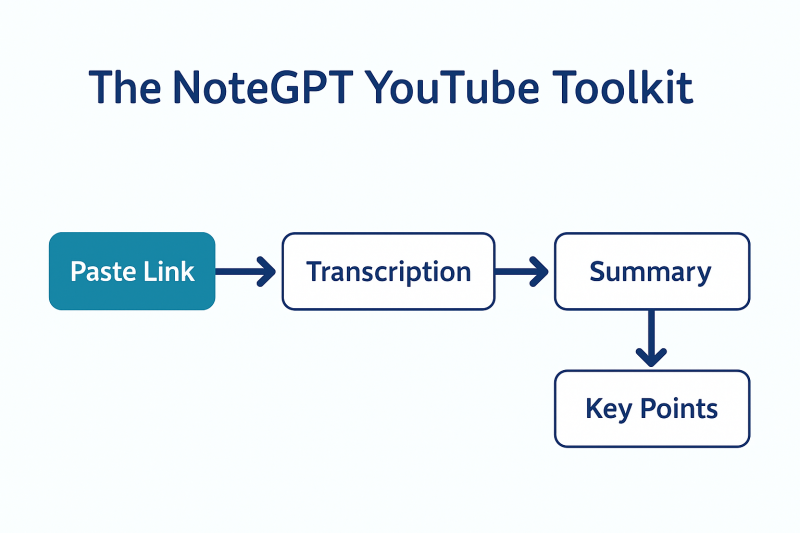
This is the feature most people look for.
YouTube Video Summarizer
Paste a YouTube link → NoteGPT AIautomatically:
- Extracts speech
- Converts it into text
- Generates a summary
- Highlights key takeaways
Best for:
- Long lectures
- Webinars
- Technical explanations
- Tutorials
YouTube Transcript Generator
If you only need the transcript:
- Exports full text
- Allows copying, editing
- Supports time stamps (depending on video)
Subtitle Downloader
Useful for multilingual content or study notes.
PDF Tools: Turning Documents Into Summaries & Notes
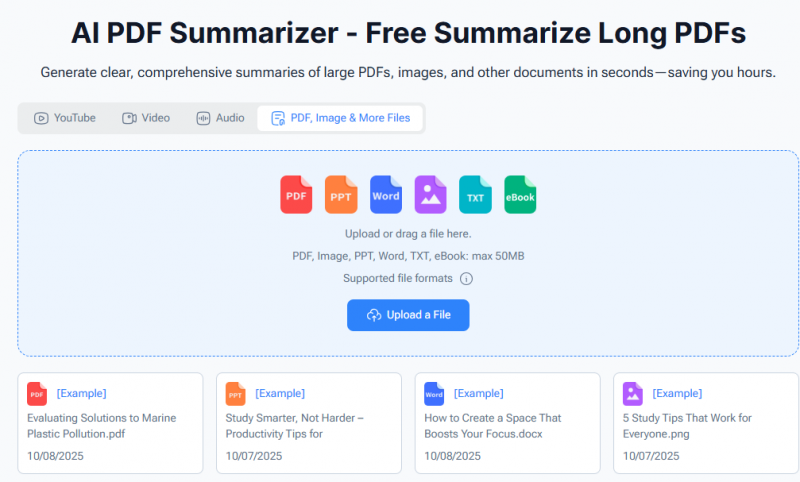
PDF tools include:
PDF Summarizer
- Upload a PDF → generates:
- Section summaries
- Key points
- Condensed notes
Useful for:
- Research papers
- Long reports
- Articles
- Assignments
PDF to Audio / Video / Brainrot
Converts PDF into:
- Audio narration
- Video explanation
- Social-media style content
PDF Translator
Converts text into other languages.
Audio & Video File Tools
NoteGPT AIsupports direct file uploads from your device.
Audio to Text
Transcribes audio recordings including:
- Lectures
- Interviews
- Voice notes
- Meetings
Video to Text
Extracts spoken content from:
- MP4
- MOV
- Screen recordings
- Webinars
Meeting Note Taker
Used for:
- Business calls
- Online classes
- Discussions
This tool converts recordings into structured notes, not real-time.
Study Tools: Making Learning Materials Automatically
This is where NoteGPT AI becomes a study assistant.
Flashcard Maker
Input text → AI generates Q/A cards.
Useful for:
- Exam preparation
- Memory recall
- Language learning
Mind Map Generator
Turns:
- Notes
- Summaries
- Topics
…into visual maps.
Quiz Generator
Creates:
- Multiple-choice questions
- True/false questions
- Short-answer tests
Study Guide Maker
Makes structured study outlines from long text.
Presentation Tools: Converting Content Into Slides
NoteGPT AI can auto-generate:
- PPT slides
- Keynote-style outlines
- Slide summaries
- Talking points
AI PPT Maker
Enter a topic → generates a full deck structure.
AI Slide Generator
Feed text or summary → converts into slides.
PDF → PPT
Uploads a PDF and automatically extracts:
- Titles
- Headers
- Key points
Best used as a starting point, not a final presentation.
Writer Tools: Drafting, Rewriting, and Idea Generation
These tools help with writing tasks:
AI Essay Writer
Creates long-form essays from a topic.
Paragraph Generator
Useful for expanding bullet points.
Sentence Rewriter
Simplifies or refines wording.
Story Generator
Generates creative stories.
APA/MLA Citation Generator
Creates academic references automatically.
Diagram Tools: Visualizing Information Quickly
NoteGPT AIalso includes utility tools:
Flowchart Generator
Text → high-level flowchart
Suitable for:
- Concepts
- Processes
- Overviews
Pie Chart Generator
Turns data into pie charts for reports.
ER Diagram Generator
Simplifies database modeling (basic conceptual diagrams).
Infographic Generator
Ideal for presentations or social media.
Using NoteGPT AI for Workflows
Below are practical, real-world workflows.
For Students
Goal: Study faster, retain more
Workflow:
- Summarize the lecture video
- Generate transcript
- Extract flashcards
- Create a mind map
- Export notes to PDF
For Researchers
Goal: Process multiple papers quickly
Workflow:
- Upload PDFs
- Use PDF Summarizer
- Compare key points
- Use Writer Tools for literature notes
- Create citations
For Professionals
Goal: Simplify training & meeting content
Workflow:
- Upload meeting recording
- Use Meeting Note Taker
- Generate action items
- Summarize into PPT
- Share with the team
For Educators
Goal: Build teaching materials
Workflow:
- Input chapter text
- Generate worksheets
- Create quizzes
- Produce flashcards
- Export slides
Limitations You Should Know Before Using NoteGPT
NoteGPT AI is powerful, but not perfect.
Accuracy Depends on Input Quality
Noisy audio reduces transcription accuracy
Technical or academic PDFs often oversimplify
Summaries Lack Nuance
AI tends to:
- Remove subtle arguments
- Skip citations
- Flatten complex ideas
Not Built for Real-Time Use
No live meeting transcription.
Diagram Generation Is Basic
Not suitable for advanced:
- Engineering diagrams
- Scientific flowcharts
- Database modeling
UI Is Dense
Beginners may find the menu overload confusing.
Best Practices for Getting Reliable Results
- Use clear audio recordings
- Upload clean PDFs (text-heavy, not scanned)
- Break long content into smaller chunks
- Manually verify AI-generated notes
- Use diagrams as draft visuals, not final versions
Should You Use NoteGPT?
If your goal is to:
- Reduce study time
- Process long content
- Generate basic learning materials
- Convert content into summaries or slide
…then NoteGPT AI functions as a multi-purpose learning assistant.
If you require:
- Academic precision
- Technical accuracy
- Highly detailed diagrams
- Real-time streaming analysis
…then NoteGPT AI should be treated as a helper, not a core tool.
Conclusion: NoteGPT AI as a Learning Companion
NoteGPT AI is best understood as a productivity accelerator, a tool that handles the repetitive, time-consuming parts of learning:
- summarizing
- extracting
- organizing
- drafting
- visualizing
It gives you a starting point, not a final answer.
With the right expectations, it can significantly streamline the way you handle videos, documents, lectures, and study content.
Post Comment
Be the first to post comment!