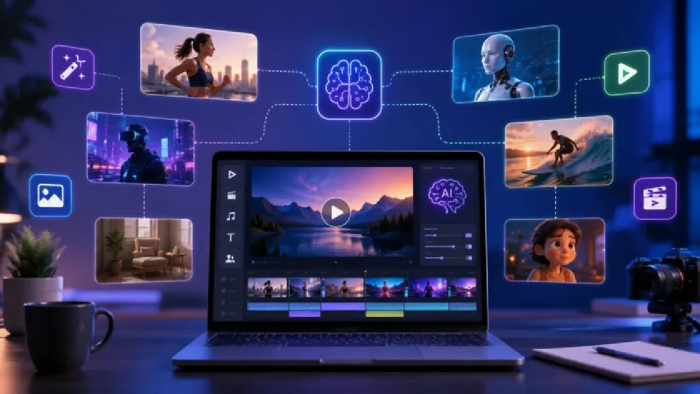
Turning a video idea into a finished production usually requires scripts, references, storyboards, video tests, and revisions. When these materials are scattered across separate tools, the original direction can disappear. An infinite canvas keeps every text, image, and video connected, allowing each new asset to grow from work already approved.
What to Set Up Before Creating Anything
Before generating anything, I define the production goal:
● Video purpose and intended audience
● Platform, aspect ratio, and approximate duration
● Main subject or character
● Visual tone and style
● Required dialogue, product details, or brand elements
● Desired ending or call to action
For example, “make a cinematic fragrance video” is too broad. A better direction is: “Create a 30-second vertical fragrance commercial in which an amber bottle emerges from a dark botanical setting and ends in a clean hero shot.”
I create empty areas for the script, references, storyboards, generations, revisions, and approved clips. These zones give every new asset an obvious place.
From Blank Canvas to Finished AI Video
Turn the Idea into a Creative Brief
I expand a one-sentence concept into a brief covering the subject, setting, audience, tone, format, and ending. It should reduce ambiguity without describing every shot.
If I am creating a fashion film, I might write:
A woman walks through a rain-covered neon city while her clothing changes gradually from vintage tailoring to futuristic streetwear. The 30-second film uses cool blue and magenta lighting, controlled camera movement, and no dialogue.
I keep the brief in a master text node and connect revised versions instead of overwriting it.
Develop the Script in Connected Text Nodes
Next, I turn the brief into scenes and shots. I can upload a script or use a language model to expand the concept, shorten dialogue, or produce a shot list.
I use separate nodes for the premise, script, dialogue, scene breakdown, and shot list. A new ending becomes a connected branch rather than replacing the approved draft.
Each scene needs one clear purpose. One subject, one setting, and one transformation often produce a stronger 30-second video than a compressed multi-location story.
Build the Visual Foundation
Once the story is stable, I collect references for characters, products, locations, costumes, props, lighting, and color. A film still may define atmosphere, while a character sheet or product photo establishes details that must remain consistent.
Short notes explain what each image contributes: “reference only the blue-magenta lighting” or “preserve this exact packaging.” This prevents unrelated details from entering later generations.
Colors keep the canvas readable: purple for references, yellow for keyframes, orange for revisions, and green for approved outputs. Related nodes can be moved together.

An AI canvas turns these references into active production assets. I can connect an approved character to a costume variation, extend a location into a storyboard, and follow that branch into video without rebuilding the context.
Break the Video into Scenes and Shots
I create one group per scene and one text node per shot. Each description covers the subject, location, framing, action, lighting, duration, and sound.
For the fashion film, the shot list might be:
1. Wide shot of the woman entering the neon street
2. Side-tracking shot as the vintage coat begins to change
3. Close-up of fabric transforming under reflected signage
4. Low-angle reveal of the futuristic outfit
5. Final hero shot beneath a glowing billboard
Each shot has one primary action. Asking a character to walk, transform, interact with traffic, speak, and change locations in one clip gives the model too many tasks.
Generate Storyboards and Keyframes
Before creating video, I generate a storyboard image or keyframe for each shot and connect it to the relevant references.
Keyframes let me review character consistency, location design, costume progression, and framing before motion introduces more variables.
I arrange them in story order. If two shots feel disconnected, I revise their compositions while they are still images. This is easier than regenerating several videos later.
Choose Between Text to Video and Image to Video
The right method depends on how much visual direction is approved. Direct generation from a written scene description works well during early exploration, before the composition is fixed.
Image to video suits an approved keyframe that already establishes the subject, setting, and framing. Its prompt can focus on action, camera movement, environmental motion, and sound.
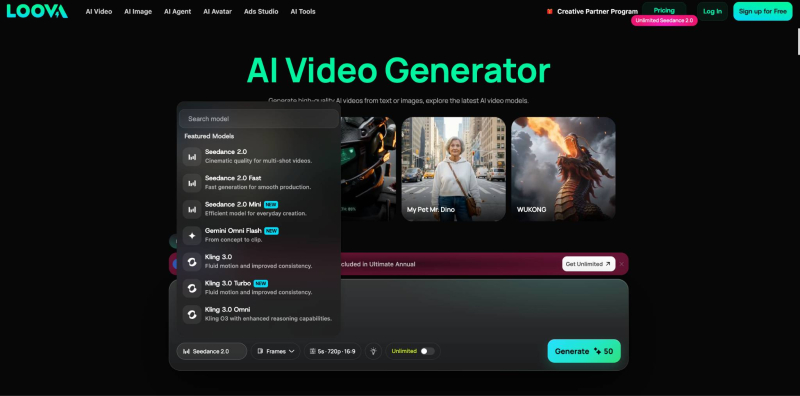
I use text to video AI tool when I want the model to interpret the complete composition as well as the action. Once a strong direction emerges, I can develop a keyframe and switch to a more controlled approach.
For an approved fashion keyframe, I might write:
The woman walks steadily through the rain as the camera tracks beside her. Her coat moves naturally with each step and in the light wind. Neon reflections slide across the wet fabric while passing cars create brief waves of colored light. Preserve her face, clothing design, body proportions, and the original street layout.
I may test both methods. Text to video can reveal an unexpected composition, while image to video offers more control after approval.
Generate and Compare Video Variations
I connect every clip to its source and place alternatives together. I test one major variable per version:
● Static camera versus a slow push-in
● Restrained performance versus stronger movement
● Light rain versus heavier weather
● Slow transformation versus a faster visual effect
This reveals which change caused an improvement. A short note records the test and why a version was selected.
Rejected results move into an experiments group. I keep useful poses, compositions, or transitions without confusing them with approved assets.
Use Captured Frames to Continue the Sequence
Frame Capture can extract the first, current, or final frame from a clip.
The first frame supports comparison with the keyframe. A current frame can preserve a strong composition. The final frame can guide the next shot and help maintain position, costume, lighting, and screen direction.
If a shot ends as the woman turns toward a billboard, I can use its final frame to start a closer view. The next shot begins from a clearer state than text alone provides.
Refine Weak Video Segments
A video may work except for one action. Segment editing can revise that section without replacing the entire 4–30 second clip.
Targeted edits can correct a gesture, camera move, transformation, reaction, or ending. The prompt should identify the problem and protect everything else.
For example:
During the selected segment, make the clothing transformation spread gradually from the sleeves toward the shoulders. Preserve the character's face, walking pace, camera movement, background, and existing lighting.
I keep both clips with clear version labels so I can restore the stronger source if necessary.
Organize and Approve the Final Shots
I move each approved shot into a final-production group while preserving its connections to the script, references, keyframe, prompt, and earlier versions.
The main sequence contains only current selections. Drafts remain nearby but clearly separated.
Stitch the Shots into the Finished Video
I arrange approved clips in order and add notes for trimming, transitions, dialogue, sound, music, color, titles, and brand elements.
The canvas acts as a production blueprint rather than a timeline editor. It preserves the source of every shot, allowing me to replace one clip without rebuilding the project.
Practical Example: A 30-Second Fragrance Commercial
For a fragrance film, I begin with an amber bottle, dark botanical photography, wet stone, candlelight, smoke, and a green-and-gold palette.
The plan contains four shots: the bottle among wet leaves, condensation crossing the glass, a model holding the bottle near a candle, and a hero shot on black stone.
I use text to video to explore the environment, then create controlled keyframes for product close-ups. Each image becomes the source for a clip focused on camera movement, water, smoke, or light. If the model's hand moves unnaturally, I revise that segment. Approved clips move into the final group with notes for duration, sound, and transitions.
Every finished shot can be traced back to the same product, palette, lighting, and material references.
Conclusion
A finished AI video grows through connected decisions, not one oversized prompt. A focused brief, approved references, planned shots, keyframes, video tests, and targeted revisions protect the original direction. For a first project, one subject and three to five shots are enough.
Frequently Asked Questions
What can I create on an AI video canvas?
You can develop scripts, references, storyboards, keyframes, clips, captured frames, revisions, and production notes.
Should I start with text to video or image to video?
Use text to video for open exploration and image to video when an approved frame already defines the composition.
Why should I generate keyframes first?
Keyframes let you approve subjects, backgrounds, lighting, and framing before motion, making video prompts more focused.
How can I keep different AI video shots consistent?
Use shared references, approved keyframes, and captured frames from adjacent clips.
Can I revise only one part of a generated video?
Yes. Segment editing can revise a selected action, camera move, transformation, or ending while preserving the rest.
How should I organize the final clips?
Place approved clips in a dedicated group, arrange them in order, and add notes for duration, transitions, sound, color, and titles.
Post Comment
Share your thoughts about this article.
Be the first to post a comment!