Creating digital content today rarely involves just one format. A single marketing campaign might include social media graphics, short-form videos, thumbnails, and promotional visuals across multiple platforms. Because of this shift, creators and marketing teams often rely on tools that simplify the design and editing process.
Two platforms that frequently appear in discussions about content creation are Canva and CapCut. Both tools allow users to produce visual content quickly without professional design or editing experience. At first glance, they may appear to compete directly because both support graphics, templates, and video creation.
However, the two platforms were designed with very different goals. Canva began as a design platform focused on graphics and marketing assets, while CapCut was developed primarily as a video editing tool optimized for short-form content. Understanding this difference is important because choosing the right platform depends heavily on the type of content you create most often.
Canva vs CapCut: Quick Overview
| Category | Canva | CapCut |
| Core Focus | Graphic design and visual marketing | Video editing and motion content |
| Best For | Designers, marketers, small businesses | Video creators and influencers |
| Platform | Web, mobile, desktop | Mobile, desktop, web |
| Collaboration | Strong team collaboration tools | Limited collaboration |
| Free Plan | Yes | Yes |
| Learning Curve | Very beginner friendly | Slightly higher for editing |
Although both platforms can technically produce graphics and videos, the experience of using them reveals very different creative workflows.
What Canva Is Best Known For
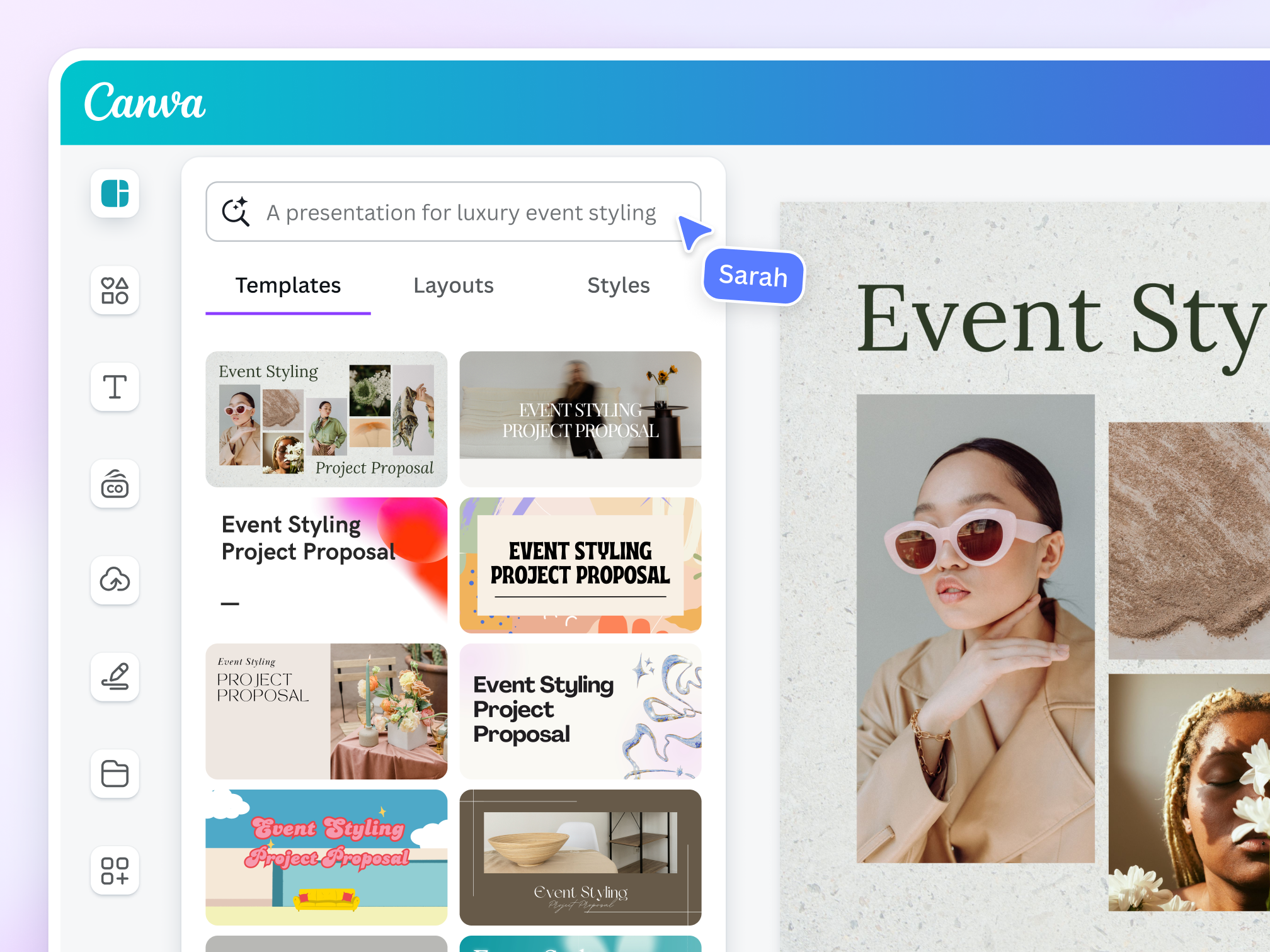
Canva has become one of the most widely used design platforms in the world. Its popularity comes from making graphic design accessible to people who have no formal design background. Instead of starting with a blank canvas, users can begin with thousands of ready-made templates for social media posts, presentations, advertisements, and marketing visuals.
The platform’s drag-and-drop editor allows users to customize templates by adding text, images, icons, and animations. Canva also includes a large media library with stock photos, videos, and design elements that can be used directly within projects.
Another major strength of Canva is its collaboration system. Teams can share brand kits, color palettes, and logos so that every design follows the same visual identity. This feature is particularly useful for marketing teams that produce large volumes of content across multiple platforms.
Over time Canva has expanded beyond graphics. The platform now includes tools for video editing, presentation design, document creation, and even basic website publishing. For many businesses, Canva functions as a complete creative workspace rather than just a graphic design tool.
What CapCut Is Best Known For
CapCut approaches content creation from the perspective of video editing. The platform was developed by ByteDance, the company behind TikTok, which explains why it is heavily optimized for short-form video content.
Unlike Canva’s design-focused interface, CapCut uses a traditional video editing timeline. Users can trim clips, combine multiple video segments, add transitions, apply filters, and synchronize music with video.
One of CapCut’s most useful features is its AI editing tools. The platform can automatically generate captions from spoken audio, remove backgrounds, and apply video effects that follow popular social media editing styles. These features allow creators to produce engaging videos without learning complex professional software.
CapCut also provides a large library of video templates that reflect current trends on platforms like TikTok and Instagram Reels. These templates help creators quickly produce videos that match the style audiences expect on modern social media platforms.
Because of these capabilities, CapCut has become one of the most widely used video editing tools among influencers and short-form video creators.
Core Feature Comparison
| Feature | Canva | CapCut |
| Template Library | Extensive graphic templates | Video-focused templates |
| Video Editing | Basic timeline editing | Advanced editing timeline |
| AI Tools | Background remover, Magic tools | Auto captions, AI effects |
| Media Library | Stock images, videos, icons | Filters, transitions, sound effects |
| Collaboration | Real time collaboration | Limited collaboration |
| Export Options | Multiple formats for design | Video optimized exports |
The table highlights the key difference between the two platforms. Canva functions as a visual design ecosystem, while CapCut focuses on producing dynamic video content.
My Experience Using Both Platforms
After working with both tools across a few small projects, the differences between them become much clearer than they do on feature lists.
I first tested Canva by creating a few social media graphics and YouTube thumbnails. Starting with a template made the process extremely quick. Within a few minutes I was able to change images, adjust fonts, and apply brand colors without needing any advanced design knowledge. Canva’s editor feels very intuitive, and most tools are visible immediately in the interface.
When I tried editing a short video in Canva, the process worked well for simple clips. I could trim footage, add text overlays, and include basic transitions. However, the editing timeline felt limited when I tried to combine multiple clips or add more complex effects.
CapCut felt very different as soon as I opened the editor. The interface is clearly designed around video editing. I tested it by editing a short vertical video with captions, music, and transitions. The timeline made it easy to adjust clip timing and experiment with different effects.
One feature that stood out during testing was the automatic caption tool. After uploading a clip with spoken dialogue, CapCut generated captions and synchronized them with the speech almost instantly. This saved a significant amount of time compared with manually creating subtitles.
Another noticeable difference is the style of effects. CapCut’s transitions, filters, and templates are clearly designed with social media trends in mind. Many templates include animated captions and beat-synchronized edits that match the style commonly seen in short-form videos.
After using both tools for a few projects, the workflow difference becomes very clear.
Canva is much faster for designing graphics and marketing visuals, while CapCut provides far more control when editing video content.
In practice, many creators end up using both tools together. Canva handles graphics and branding assets, while CapCut is used for editing the actual video content.
Pricing Comparison
| Pricing Tier | Canva | CapCut |
| Free Plan | Yes | Yes |
| Entry Paid Plan | Around $12.99 per month | Around $7–10 per month |
| Team Plans | Canva Teams available | Limited team options |
| Paid Benefits | Brand kits, templates, stock assets | Premium effects and AI tools |
Canva’s pricing structure focuses on unlocking design assets and collaboration features. Paid plans provide access to premium templates, stock media, and brand management tools.
CapCut’s paid features focus more on video editing capabilities. Premium plans unlock advanced effects, additional templates, and higher quality exports.
Because of this difference, Canva tends to appeal more to businesses and teams, while CapCut remains particularly popular among individual creators.
Ease of Use and Learning Curve
Both tools were designed to be accessible for beginners, but their learning curves differ slightly depending on the type of content you create.
Canva is extremely easy to learn for graphic design tasks. Most users can start designing social media posts within minutes because the interface revolves around templates and drag-and-drop editing.

CapCut uses a traditional editing timeline, which may initially feel more technical for beginners. However, the interface is still much simpler than professional video editing software such as Adobe Premiere or Final Cut.
For beginners interested in graphic design, Canva usually feels more approachable. For users focused on video editing, CapCut quickly becomes comfortable after a few editing sessions.
When Canva Is the Better Choice
Canva is usually the stronger option when visual design and branding are the main priorities.
It works particularly well for businesses creating marketing graphics, presentations, infographics, and social media visuals. Teams that need collaborative design tools and brand management features often find Canva especially useful.
When CapCut Is the Better Choice
CapCut becomes the better option when video content is the primary focus.
Creators who regularly produce TikTok videos, Instagram Reels, or YouTube Shorts often prefer CapCut because its editing timeline and AI tools make it easier to create dynamic video content quickly.
Final Verdict
The comparison between Canva and CapCut reveals that these tools are designed for different creative needs rather than competing directly with one another.
Canva excels as a visual design platform. Its templates, collaboration tools, and brand management features make it ideal for businesses and creators who produce graphics and marketing materials.
CapCut excels as a video editing tool. Its timeline editor, AI features, and social media optimized templates make it one of the easiest ways to produce engaging video content.
For many creators, the most effective workflow involves using both platforms together. Canva can handle design and branding tasks, while CapCut provides the editing capabilities needed for modern video content.
Used together, they form a powerful toolkit for today’s content creators.
Post Comment
Be the first to post comment!