CapCut made short-form video editing easy for millions of creators, but 2025 and 2026 changed the conversation. Between ownership concerns, pricing confusion, support complaints, and platform risk, a lot of editors started looking for tools they could trust long term.
The good news is that CapCut’s alternatives are no longer weak backups. Some are better for beginners, some are better for mobile creators, and some are outright stronger professional tools.
Why creators are moving on
The biggest reason people are leaving CapCut is trust. When an editing app can be affected by political restrictions, policy changes, and shifting terms of service, creators who publish regularly do not want to build their workflow on uncertainty.
The second issue is ownership and licensing. CapCut’s cloud-based terms created enough concern that many creators simply decided it was safer to move somewhere else.
The third issue is cost clarity. A tool that feels cheap at first can become expensive once premium features, export controls, and subscriptions stack up.
The tools that matter most
| Tool | Best For | Starting Price | Free Watermark | 4K Export | Platform |
| DaVinci Resolve | Professional editors and colorists | Free | No | Yes | Windows, macOS, Linux |
| Filmora | Beginners who want AI tools | $49.99/year | Yes | Paid only | Windows, macOS, iOS, Android |
| Canva | Design-first creators and teams | Free | Premium elements only | No | Web, Windows, macOS, iOS, Android |
| VEED | Browser-based team workflows | Free | Yes | Paid only | Web, iOS |
| Clipchamp | Windows users and beginners | Free | No | Premium | Web, Windows |
| InShot | Mobile-first social creators | Free | Small watermark | Paid only | iOS, Android |
| VN Video Editor | Free mobile editing | Free | No | Limited free 4K | iOS, Android, macOS |
| KineMaster | Mobile editors who want VFX | Free | Yes | Yes | iOS, Android |
| Adobe Premiere Pro | Professional filmmakers | $22.99/month | No free version | Yes | Windows, macOS, iOS |
1. DaVinci Resolve
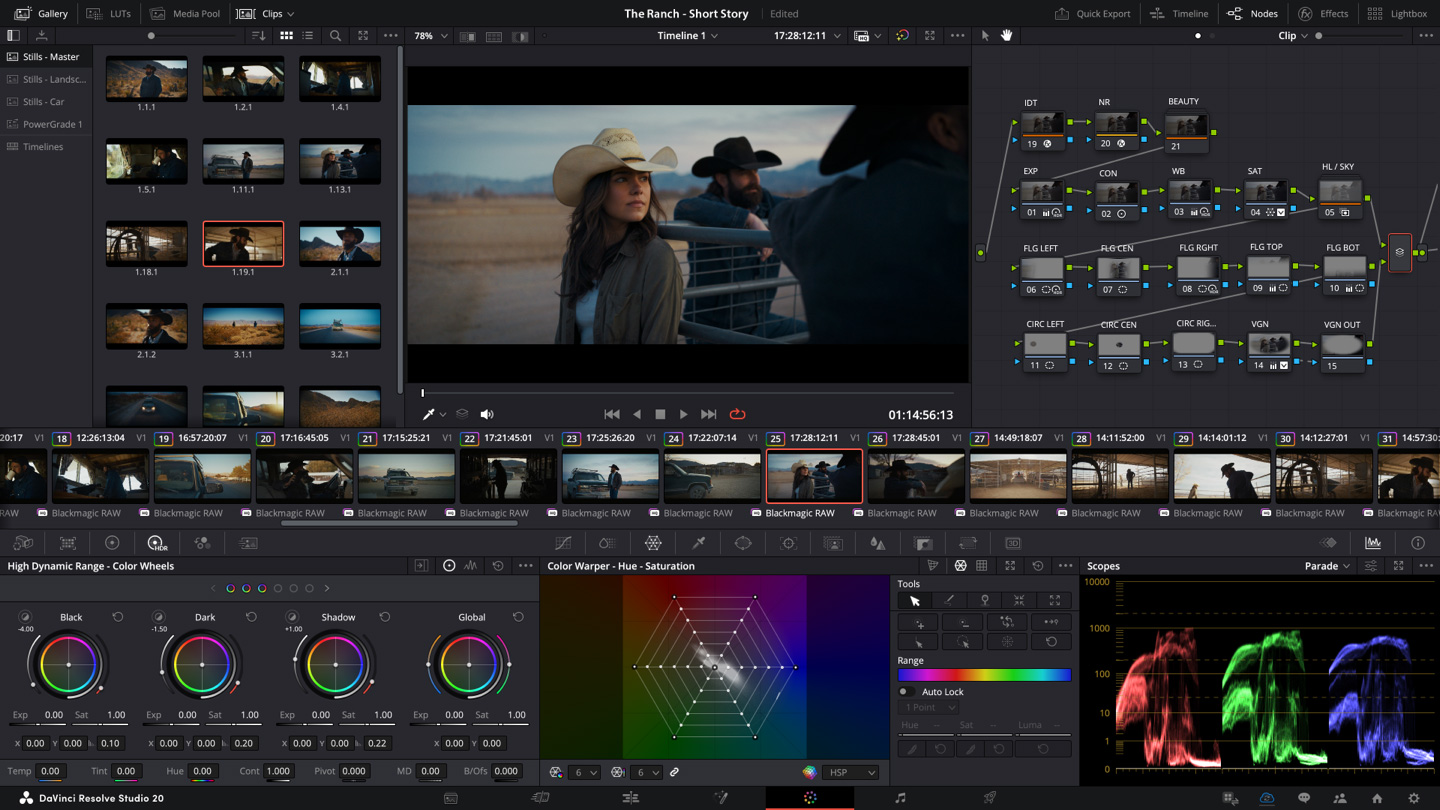
DaVinci Resolve is the strongest all-around free editor in this list. It is built for serious editing, color grading, audio work, and visual effects, and the free version is generous enough that many creators never need to pay anything.
The learning curve is steeper than CapCut, but that is the trade-off for professional power. If you want a tool that can grow with you instead of a tool you outgrow, this is the safest choice.
Best for: pro editors, YouTubers, and creators who want zero watermark and no subscription pressure.
2. Filmora
Filmora sits in the middle ground between beginner-friendly and feature-rich. It feels much more approachable than DaVinci Resolve, but it also offers a wide range of AI tools that help with captions, scene detection, object removal, and quicker edits.
It is one of the easiest CapCut replacements for desktop users who want a familiar interface without giving up too much functionality. The downside is that the free version is limited and the paid AI features can eat into credits.
Best for: beginners, social media editors, and creators who want a gentler desktop upgrade.
3. Canva
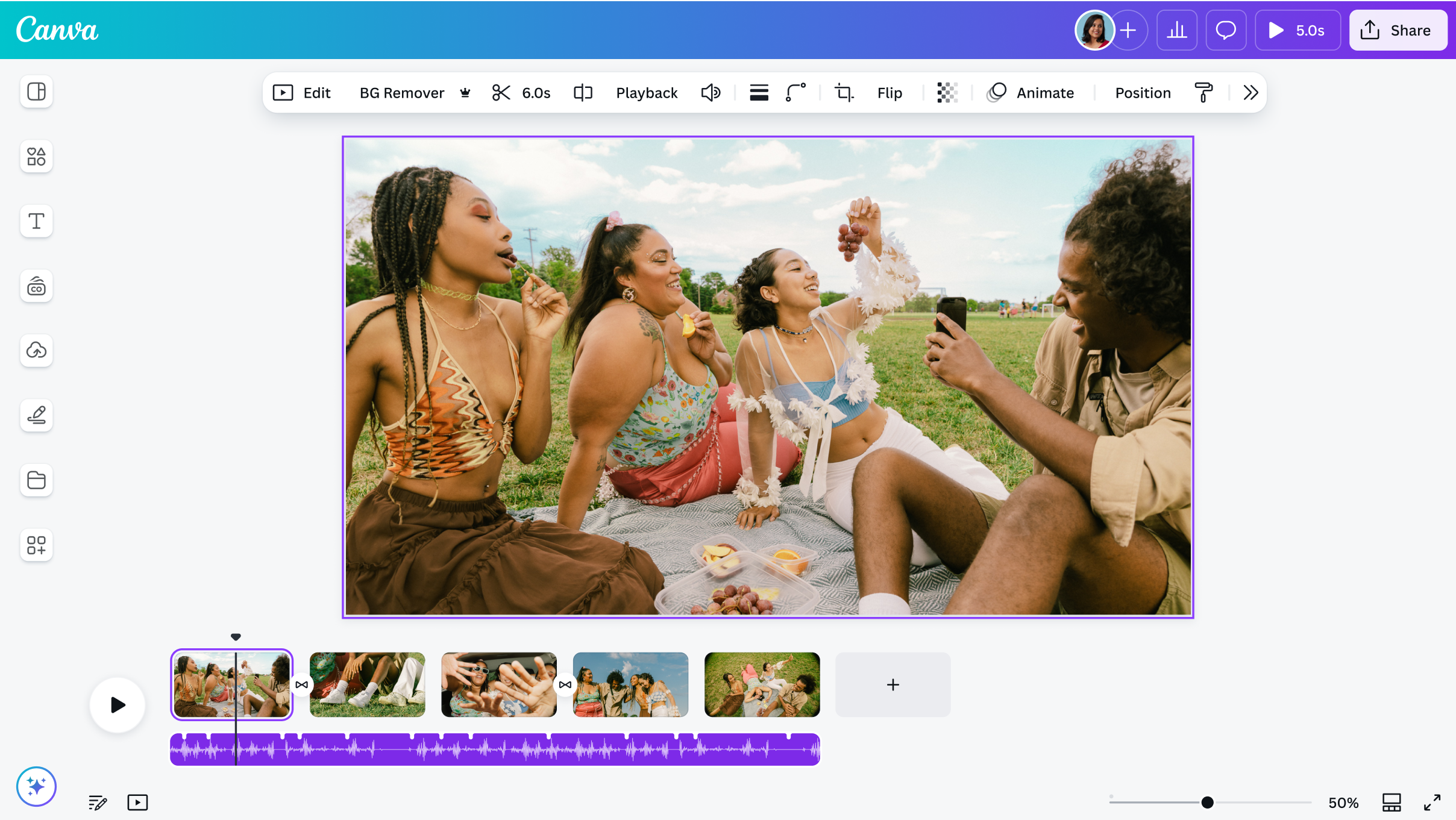
Canva is not a traditional video editor in the cinematic sense, but it is one of the best tools for fast social content. If you already use Canva for thumbnails, posts, or brand kits, the video editor fits naturally into that workflow.
It is especially useful for teams that need collaboration, brand consistency, and quick turnaround. It is not the best choice for complex multi-track editing, but it is excellent for marketing content and simple social videos.
Best for: marketers, teams, small businesses, and creators who want design plus video in one place.
4. VEED
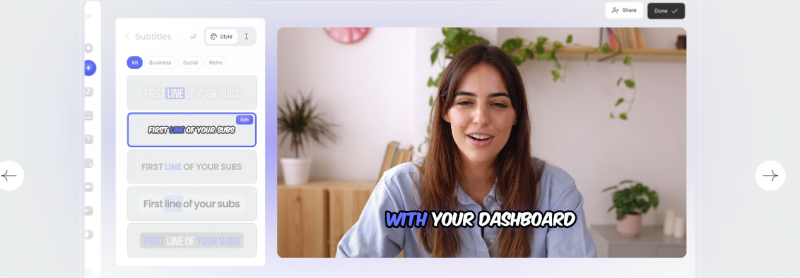
VEED is a browser-based editor that works well for teams and business users. It is especially strong for subtitles, translations, and collaborative workflows, which makes it a practical alternative for content that needs to be fast and polished.
The biggest advantage is convenience. You do not need to install heavy software, and the tool is built around modern content creation needs like captions and browser access.
Best for: agencies, educators, and teams that need collaboration and subtitles.
5. Clipchamp
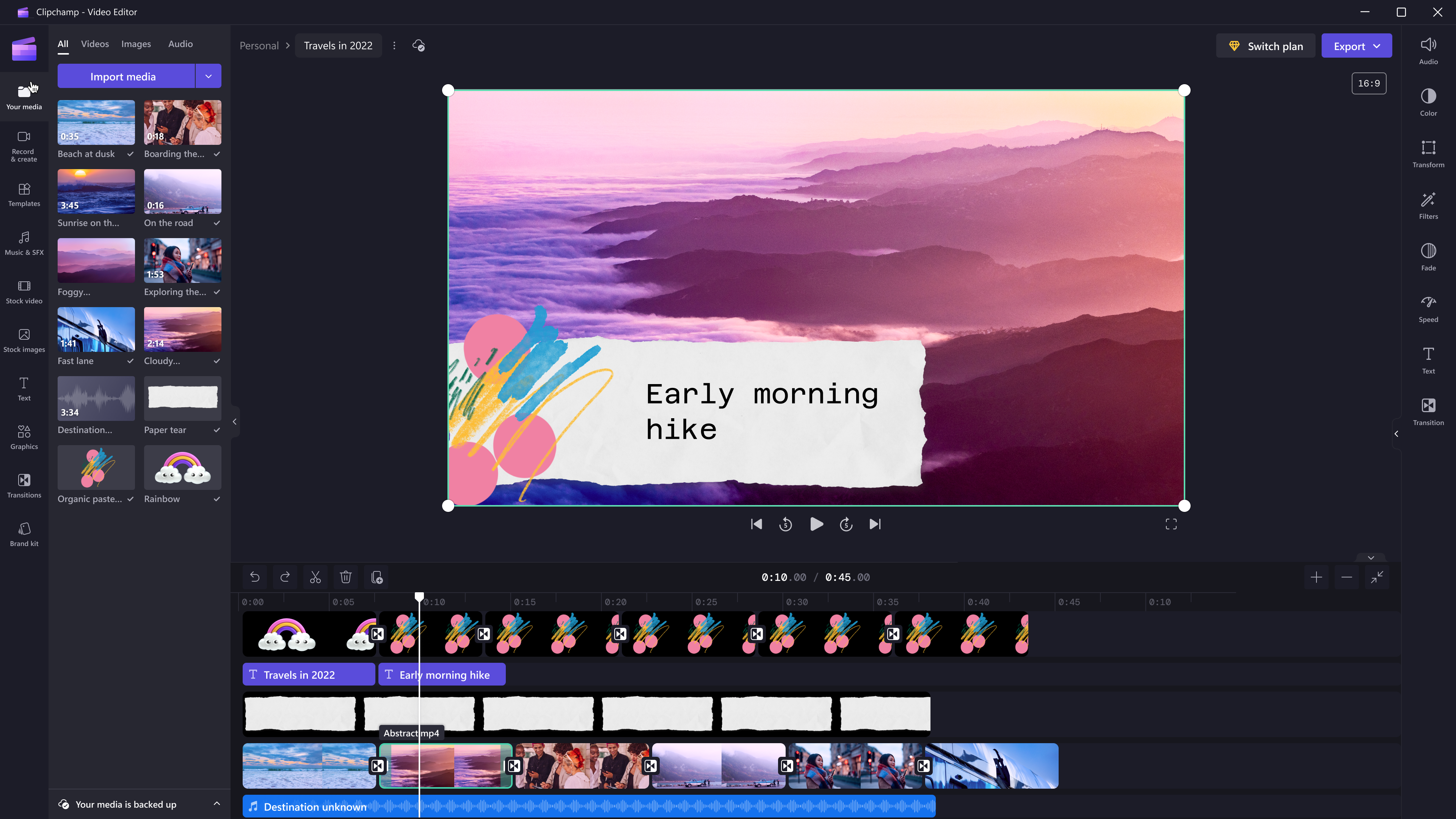
Clipchamp is the easiest option for Windows users who want something simple and already available. It is lightweight, beginner-friendly, and surprisingly useful for straightforward video work.
It works best for people who want quick edits, screen recordings, and basic social videos without learning a full professional editor. It is not the deepest tool here, but it is one of the easiest to start with.
Best for: Windows users, beginners, and Microsoft 365 subscribers.
6. InShot
InShot is one of the closest CapCut alternatives for mobile creators. It is fast, familiar, and built for TikTok, Reels, and Shorts-style editing.
Its biggest strength is value. The app is affordable, the interface is easy to learn, and the lifetime option makes it especially attractive for creators who do not want another monthly bill.
Best for: mobile-first creators who edit mainly on their phones.
7. VN Video Editor

VN is one of the best true free options because it does not force a watermark on exports. That alone makes it a favorite among creators who want something capable without paying immediately.
It is more powerful than it first looks, with multi-track editing, keyframes, and decent export flexibility. If you want a free editor that feels less limiting than CapCut’s free tier, VN is a strong pick.
Best for: creators who want a free, no-watermark mobile editor.
8. KineMaster
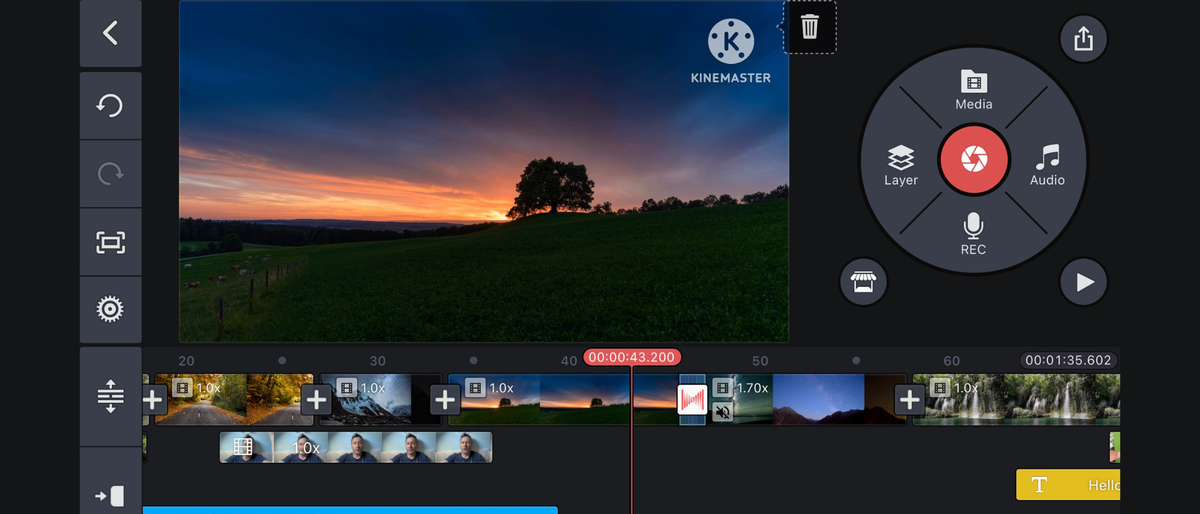
KineMaster is a strong option for mobile users who need more advanced effects. It has long been one of the better apps for green screen, overlays, and multi-layer editing on phones.
It feels a little more advanced than InShot and a little more effects-heavy, which is useful if your content depends on visual polish. The free version includes a watermark, but the editing power is impressive.
Best for: mobile creators who want VFX and multi-layer editing.
9. Adobe Premiere Pro
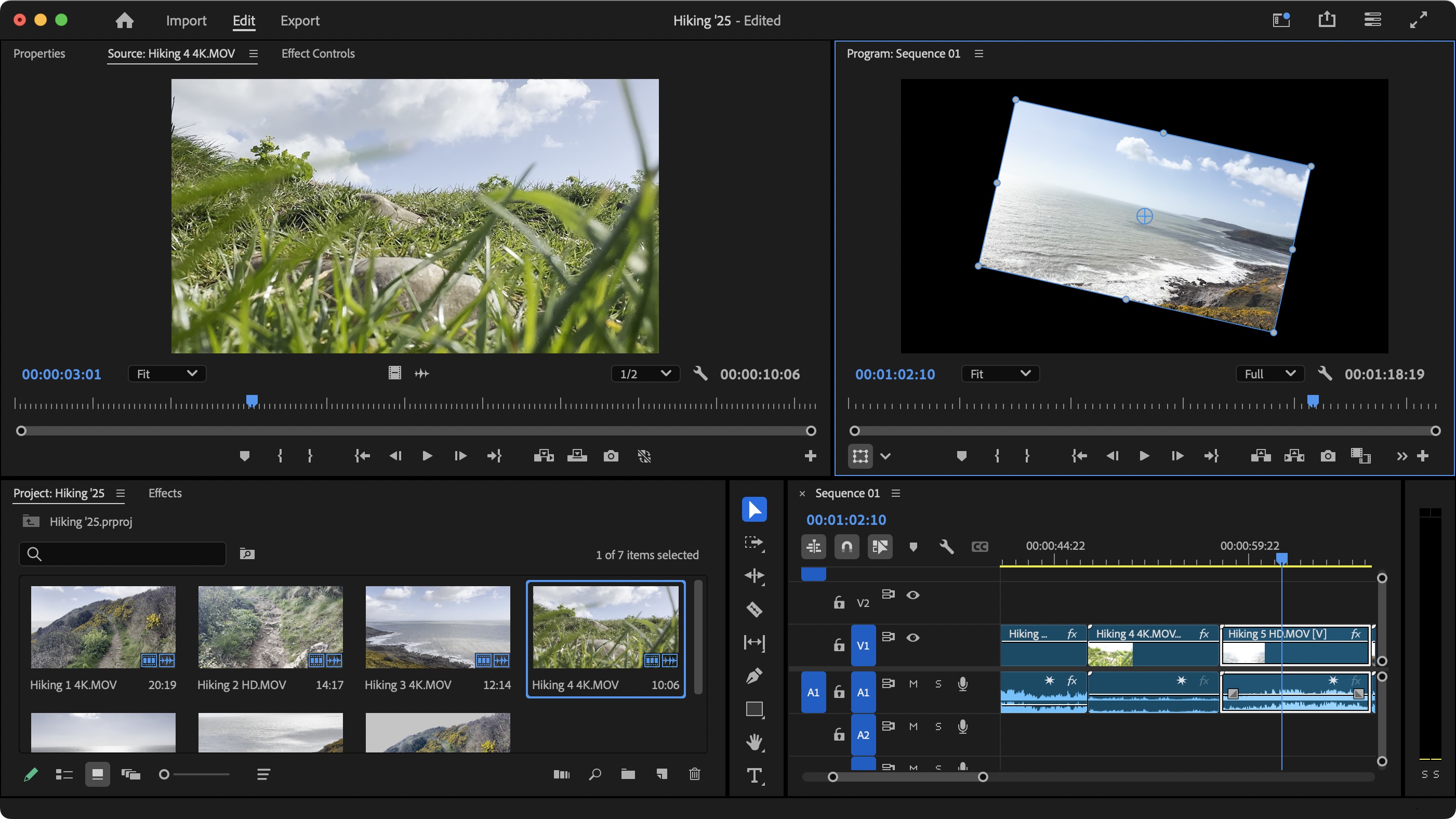
Premiere Pro is still the heavyweight option. It is not cheap, and it is not the easiest tool for beginners, but it remains the standard for professional video production.
If you are editing client work, long-form content, or agency projects, Premiere gives you the most depth and the widest industry acceptance. It is the most expensive option here, but also the most complete.
Best for: professionals, agencies, and filmmakers.
Which one fits your workflow
| Your need | Best pick |
| Free pro-level editing | DaVinci Resolve |
| Easy desktop editing with AI | Filmora |
| Design and video together | Canva |
| Browser editing and subtitles | VEED |
| Simple Windows editing | Clipchamp |
| Best mobile alternative | InShot |
| Free no-watermark mobile editing | VN Video Editor |
| Mobile VFX and overlays | KineMaster |
| Full professional editing | Adobe Premiere Pro |
Final verdict
CapCut made video editing accessible, but it is no longer the obvious default for everyone. The best alternative depends on what kind of creator you are and what kind of risk you want to avoid.
If you want the strongest free editor, choose DaVinci Resolve. If you want the easiest mobile swap, choose InShot or VN. If you want something collaborative and simple, Canva or VEED make more sense. And if you need professional depth, Premiere Pro is still the standard.
Post Comment
Be the first to post comment!