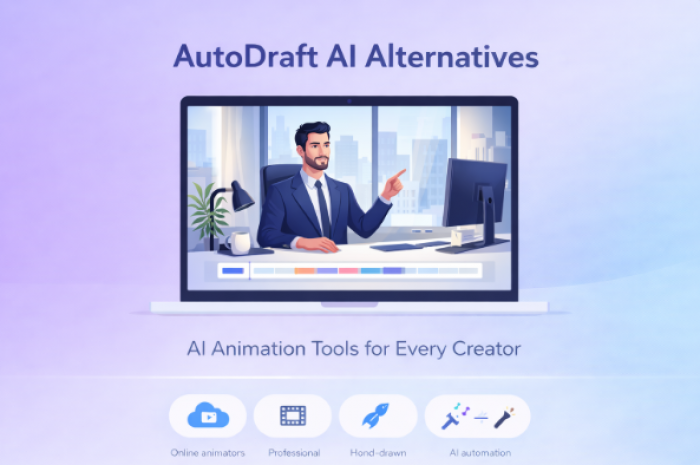
AI animation tools are making it easier for creators to produce animated videos, comics, and storytelling content without traditional animation skills. Platforms like AutoDraft AI allow users to generate animated characters, scenes, and voiceovers using artificial intelligence.
AutoDraft is designed to simplify animation production by automatically generating characters, backgrounds, and animations based on prompts or images. The platform also supports tools like character generators, animation toolkits, and scene editing to help creators build complete animated video.
However, AutoDraft is not the only option available. Many creators explore alternatives because they want different workflows, stronger editing features, or tools better suited for marketing videos, storytelling, or professional animation.
In this guide, we explore some of the best AutoDraft AI alternatives, explaining what each tool does and when it may be the right choice.
Quick List: Top AutoDraft AI Alternatives
Here are some of the most popular alternatives to AutoDraft AI:
- Animaker
- CreateStudio
- Renderforest
- Canva
- Adobe After Effects
- Krita
Each of these tools focuses on a different part of the animation workflow, from beginner animation to professional motion graphics.
1. Animaker
Animaker is one of the most widely used cloud-based animation tools for beginners and marketers. The platform focuses on simplifying the animation process through drag-and-drop editing and ready-to-use assets.
Instead of building animations from scratch, Animaker provides a large library of characters, templates, and background scenes. Users can quickly combine these assets to produce explainer videos, marketing animations, or educational content.
One of Animaker’s biggest advantages is its character builder system, which allows creators to customize characters with different outfits, expressions, and actions. The platform also includes stock assets, music tracks, and advanced editing tools to help users produce professional animated videos.
Key Features
- Drag-and-drop animation editor
- Custom character builder
- 100M+ stock assets and templates
- Voiceovers and text-to-speech
- 4K video export support
Best For
- Beginners, educators, and marketing teams who want to create animated videos quickly without animation experience.
2. CreateStudio
CreateStudio is a modern animation platform designed for creators who want to produce character-based animated videos. The software supports both 2D and 3D animation styles, making it useful for storytelling, YouTube content, and promotional animations.
Unlike AutoDraft, which relies heavily on AI automation, CreateStudio provides more manual control over character animation and scene composition. Users can animate characters, add motion effects, and synchronize voiceovers with lip-sync technology.
CreateStudio also includes animation presets and motion templates that help users animate characters faster while maintaining creative control.
Key Features
- 2D and 3D character animation tools
- Motion presets and scene templates
- Lip-sync animation support
- Drag-and-drop timeline editor
- Visual effects and transitions
Best For
- YouTubers and digital storytellers creating character-driven animated videos.
3. Renderforest
Renderforest is a cloud-based creative platform that focuses on template-based animation and video creation. Instead of manually designing animations, users can choose from hundreds of ready-made templates for explainer videos, promotional content, and brand storytelling.
The platform allows creators to generate animated videos simply by adding text, images, and branding elements to a template. Renderforest also includes AI-powered voiceovers and text-to-speech tools, which makes it easier to produce narrated animation videos without recording audio.
Another advantage of Renderforest is that it provides tools beyond animation, including logo creation, website design, and branding assets.
Key Features
- Animated video templates
- AI voiceover generation
- Logo and branding animation tools
- Cloud-based video editing
- Marketing and product video creation
Best For
- Businesses and marketers who want to produce animated promotional videos quickly.
4. Canva
Canva is widely known as a graphic design platform, but it has expanded significantly into video and animation creation. The platform allows users to animate elements, text, and entire slides directly within its design editor.
Unlike dedicated animation software, Canva focuses on simple visual animations used in presentations, social media videos, and marketing content. Users can apply animations to graphics, create motion effects, and export videos for different platforms.
Because of its intuitive interface and large template library, Canva has become a popular choice for content creators who want quick animated visuals.
Key Features
- Animated design templates
- Video editing tools
- AI design suggestions
- Collaboration features for teams
- Social media video creation
Best For
- Content creators producing animated graphics for social media and presentations.
5. Adobe After Effects
Adobe After Effects is one of the most powerful tools for motion graphics and animation used in professional film production, marketing videos, and visual effects.
Unlike AI-driven platforms like AutoDraft, After Effects provides complete creative control over animation. Animators can design complex motion graphics, create cinematic effects, and build detailed animations using a timeline-based editor.
The software integrates with other Adobe tools like Premiere Pro, Photoshop, and Illustrator, making it a key part of professional video production workflows.
Key Features
- Advanced motion graphics tools
- Visual effects and compositing
- Timeline animation editing
- Integration with Adobe Creative Cloud
- Professional rendering capabilities
Best For
Professional animators and video editors who need full control over animation and visual effects.
6. Krita

Krita is a free and open-source digital painting and animation software used by illustrators and artists.
Unlike AI animation tools, Krita focuses on traditional frame-by-frame animation and digital drawing. Artists can create animated sequences by drawing individual frames and combining them into motion scenes.
Because it is open source, Krita is widely used by artists who want powerful drawing tools without subscription costs.
Key Features
- Frame-by-frame animation tools
- Professional digital painting brushes
- Open-source software
- Customizable interface
- Timeline animation editor
Best For
- Artists and illustrators creating hand-drawn animations and digital artwork.
AutoDraft AI vs Alternatives
| Feature | AutoDraft AI | Animaker | Renderforest | After Effects |
| AI Animation | Yes | Partial | Partial | No |
| Character Generation | Yes | Yes | Limited | Manual |
| Ease of Use | Easy | Easy | Easy | Complex |
| Animation Control | Moderate | Moderate | Low | Very High |
AutoDraft focuses on AI-generated animation, while many alternatives emphasize either simplicity or professional animation control.
Final Thoughts
AutoDraft AI has made animation more accessible by allowing creators to generate characters, scenes, and animations automatically with AI. However, different creators require different tools depending on their goals.
Platforms like Animaker and Renderforest are ideal for beginners and marketers who want to produce animated videos quickly. Canva works well for simple animated graphics and social media content. Meanwhile, tools like Adobe After Effects and Krita offer deeper creative control for professional animators and digital artists.
Exploring these alternatives allows creators to choose the platform that best fits their workflow, whether they want AI-powered automation or full animation control.
Post Comment
Be the first to post comment!