Table of Content
- 1. What they are?
- 2. Side-by-side comparison table
- 3. Pricing comparison (what you actually pay)
- 4. Features: the meaningful differences (not a checklist)
- 5. Performance and uptime: what you can verify
- 6. Ratings & reviews: what users tend to praise/complain about
- 7. Use cases: which one wins in real scenarios
- Decision matrix (fast but accurate)
- Final Conclusion
Amazon Route 53 and GoDaddy both sell domains and DNS, but they occupy very different roles: Route 53 is an infrastructure‑grade DNS and traffic‑routing platform, while GoDaddy is primarily a domain registrar and SMB hosting brand that also offers DNS (including a separate Premium DNS product).
1. What they are?
Amazon Route 53

A managed authoritative DNS service that can also do traffic steering and failover (via health checks). Pricing is pay-as-you-go: hosted zones + query volume + optional features.
It’s built around:
● Routing policies (latency, geolocation, IP-based, weighted, failover, etc.)
● Health checks that can trigger DNS failover
● An SLA model that defines service credits if uptime dips below thresholds
GoDaddy (DNS context)
GoDaddy is a registrar-first ecosystem. You can manage DNS records in your GoDaddy account if your nameservers point there.
For DNS specifically, GoDaddy positions Premium DNS as the “managed DNS” upgrade:
● Anycast network + secondary DNS + record templates/bulk tools
● “100% uptime guarantee” is marketed on the Premium DNS page (you should still read the fine print/disclaimers for what’s covered).
2. Side-by-side comparison table
| Category | Amazon Route 53 | GoDaddy (Standard DNS / Premium DNS) |
| Primary identity | Cloud DNS + traffic routing (infra tool) | Registrar + SMB web platform; DNS is part of the bundle |
| Advanced routing (latency/geo/IP) | Strong: multiple routing policies (latency, geoproximity, IP-based, etc.) | Mostly basic DNS. Premium DNS focuses on availability/security, not sophisticated traffic steering |
| Failover / health checks | Native Route 53 health checks + DNS failover patterns | Premium DNS emphasizes Anycast + secondary DNS; not the same as app-aware health-check routing |
| Automation / IaC | Designed for APIs + infrastructure workflows (common in AWS setups) | More GUI-first; bulk tools exist in Premium DNS, but dev automation is not the default story |
| Pricing model | Usage-based (zone + queries + add-ons) | Product/plan-based; Premium DNS has monthly/annual pricing and renewals |
| Transparency on renewals | AWS bills by metered usage; no “renewal surprise,” but costs scale with queries | Renewals vary by product/TLD; GoDaddy provides a renewal price check flow |
| SLA framing | Service credits tied to Monthly Uptime Percentage thresholds | Premium DNS markets “100%* uptime guaranteed” on its page (verify scope in disclaimers) |
| Best fit | SaaS, apps, multi-region, DevOps teams, AWS-heavy stacks | Small businesses, agencies managing domains/sites, people who want simplicity |
3. Pricing comparison (what you actually pay)
Route 53: predictable for small sites, scales with traffic
Route 53 charges for hosted zones and DNS queries, plus add-ons like Traffic Flow if you use it.
Typical baseline (public pricing pages):
● $0.50 per hosted zone/month for the first 25 zones
● Query charges apply (commonly referenced “standard” queries start at $0.40 per million on AWS pricing pages; advanced routing query types can cost more depending on configuration).
● Traffic Flow policy records: $50 per policy record/month
Where bills jump: high query volume, lots of hosted zones, or using Traffic Flow at $50/month per policy record.
GoDaddy: simpler checkout, but watch plan renewals
GoDaddy’s costs depend on what you’re buying (domain registration, hosting, add-ons). Renewal pricing varies and GoDaddy explicitly tells users to check renewal price in-account.
For DNS upgrade specifically (India pricing page for Premium DNS):
● Advertised ₹549.55/mo and shows auto-renew annually at ₹5,148.00 (the page displays “you pay today” and the renewal amount).
So GoDaddy can feel “flat-rate,” but the real comparison is:
● Route 53: low fixed + variable usage
● GoDaddy Premium DNS: fixed add-on + domain/hosting renewals (varies)
4. Features: the meaningful differences (not a checklist)
1) Traffic steering (Route 53’s biggest edge)
If you need DNS to do more than point “example.com → one server,” Route 53 is built for it:
● Latency-based routing (send users to the region with best latency)
● Geoproximity / geolocation style routing
● IP-based routing
● Weighted + failover patterns
GoDaddy Premium DNS is more about availability and security, not sophisticated routing logic.
2) Resilience approach: “health-based failover” vs “strong DNS hosting”
● Route 53 can tie routing decisions to health checks (including monitoring resources, other health checks, or CloudWatch alarms).
● GoDaddy Premium DNS highlights Anycast network + secondary DNS as resilience mechanisms, plus tooling like templates and bulk updates.
Both can be “reliable,” but they solve reliability differently.
3) Operations: engineering workflows vs business workflows
● Route 53 fits teams that treat DNS like code (APIs, SDKs, Terraform patterns, repeatable environments).
● GoDaddy fits teams that treat DNS like an IT setting in a business dashboard (domain portfolio, emails, hosting, website builder in one place).
5. Performance and uptime: what you can verify
Route 53 SLA structure (measurable)
AWS defines Monthly Uptime Percentage and provides service credits when uptime falls below stated thresholds (e.g., credits kick in when uptime is “less than 100%”).
This is useful because it’s a concrete definition of “unavailable” (all assigned name servers failing to respond during a minute).
GoDaddy Premium DNS performance claims (marketing + some specifics)
The GoDaddy Premium DNS page explicitly mentions:
● Anycast DNS network
● Secondary DNS
● “100%* uptime guaranteed”
● 1,500 records/domain and “secures up to 5 domains with DNSSEC”
● Bulk tools/templates and error checking
6. Ratings & reviews: what users tend to praise/complain about
TrustRadius scores (snapshot)
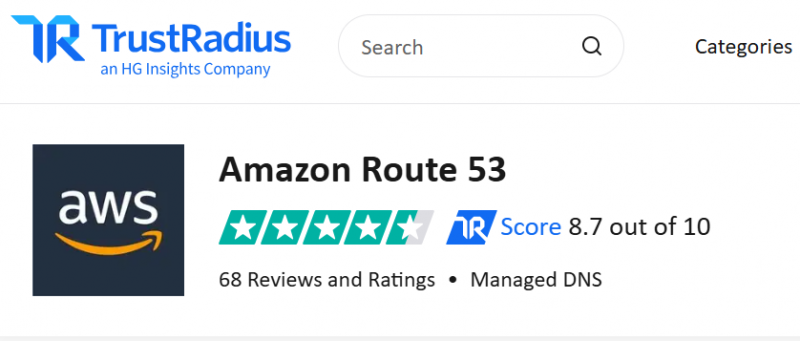
Amazon Route 53: Score 8.7/10 (reviews listed on the product page)
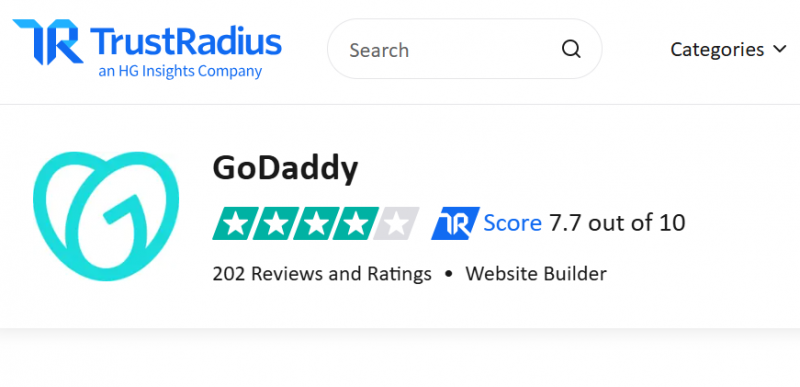
GoDaddy: Score 7.6/10 (reviews listed on the product page)
Typical sentiment patterns
From comparison/review narratives:
● Route 53 is often described as “rock solid” once configured, especially for AWS-centric teams
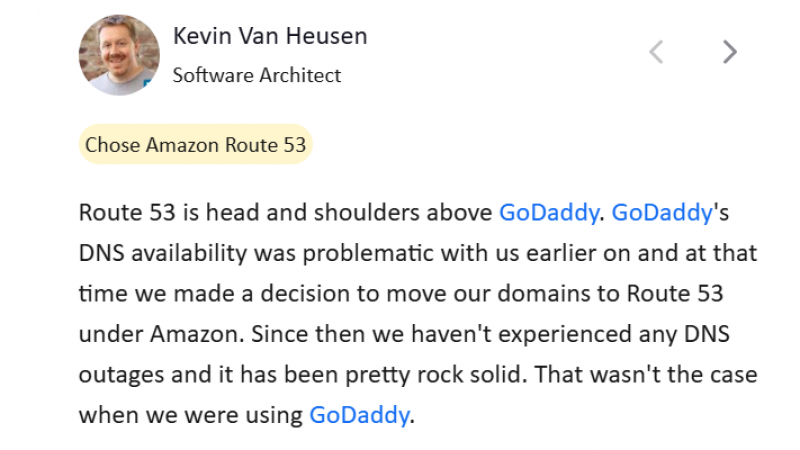
● GoDaddy is frequently seen as “fine for simple DNS/domain needs,” with value coming from convenience and bundled services rather than advanced DNS control.

7. Use cases: which one wins in real scenarios
Scenario A: Personal site / portfolio / small business brochure site
GoDaddy usually wins on simplicity: domain + DNS + optional hosting/email in one place. If the business is sensitive to downtime or security, evaluate Premium DNS.
Scenario B: SaaS app, API, multi-region infrastructure
Route 53 tends to win because:
● routing policies matter (latency/geo/weighted)
● failover can be tied to health checks
● automation matters
Scenario C: Agency managing many client domains
This is split:
● If you need bulk business ops (domains + email + basic DNS): GoDaddy can be practical.
● If clients run cloud apps and you want repeatable infra patterns: Route 53 fits better.
Decision matrix (fast but accurate)
Pick Route 53 if you need:
● Latency/geo/IP-based routing, weighted rollouts, DNS-level failover
● Health checks integrated into routing decisions
● Clear SLA mechanics and cloud-style automation
Pick GoDaddy if you need:
● A simple control panel for domains + basic DNS management
● Optional upgrade path to Anycast + secondary DNS via Premium DNS
● Pricing that feels more “plan-based,” with the reminder to track renewals
Final Conclusion
The comparison between Amazon Route 53 and GoDaddy ultimately comes down to intent, scale, and operational mindset, not which brand is “better.”
Route 53 makes sense when DNS is part of your infrastructure strategy. If traffic routing, failover logic, automation, or multi-region performance matter to your system, Route 53 gives you control that typical DNS dashboards simply don’t aim to provide.
GoDaddy works best when DNS is a supporting tool, not a core concern. It’s built for managing domains and websites with minimal friction, and its DNS—while reliable for standard use—doesn’t try to solve infrastructure-level routing problems.
Post Comment
Be the first to post comment!